Summary
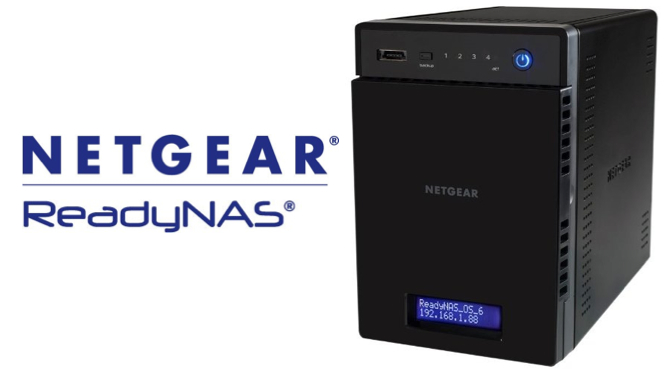
The NETGEAR ReadyNAS is a data storage system for home or business that allows secure local and remote access to files. [Buy]
Product Description
Perfect for all your data including large photo and movie collections, ReadyNAS makes it easy to backup all your valuable content in one secure location where you can then stream it, share it, and access it from anywhere. Not only does ReadyNAS automatically store previous versions of files with hourly backups, it is also fully compatible with the Apple Time Machine for remote or local file backup and recovery from Mac computers. Your files are safe and sound with NETGEAR ReadyNAS.
Features
- Safe and easy backup for all your computers and mobile devices
- Stream movies and music with DLNA, iTunes, & PLEX
- Enjoy and share content from all your devices, anywhere with free mobile apps
- Automatic RAID protection against disk failure
- Exclusive snapshot technology for recovering past versions of a file
- 1.2GHz processor and 512MB on-board memory
- 4-bays for 16TB maximum capacity
- Easy drive install plus hot swap
Benefits
- Stream all your videos—Stream your movies, music and photos to DLNA-enabled smart TVs and game consoles
- Access your files from anywhere—Wherever you are, your data is there with you. Use the ReadyCLOUD mobile app or web portal for access from any device
- Share it all—Easily share files with friends, family and co-workers
- Stay in sync—Keep everything up to date with the ReadyDROP sync folder
- Store recorded surveillance footage—View, manage, and store recorded video from up to 16 IP cameras per ReadyNAS (premium feature)
Capabilities
- Stream all your videos—Stream your movies, music and photos to DLNA-enabled smart TVs and game consoles
- Access your files from anywhere—Wherever you are, your data is there with you. Use the ReadyCLOUD mobile app or web portal for access from any device
- Share it all—Easily share files with friends, family and co-workers
- Stay in sync—Keep everything up to date with the ReadyDROP sync folder
- Store recorded surveillance footage—View, manage, and store recorded video from up to 16 IP cameras per ReadyNAS (premium feature)
Data Protection
- Back it up—Securely back up files from your PC and Mac computer. Automatically back up your mobile photos
- Disk failure protection—RAID 0, RAID 1, RAID 5, RAID 6, RAID 10 and XRAID disk failure protection
- Virus protection—Real-time virus protection
- File restoration—Hourly snapshots of your files for point-in-time recovery
Product Image Gallery

NETGEAR ReadyNAS 4-Bay

NETGEAR ReadyNAS 4-Bay

NETGEAR ReadyNAS 4-Bay

NETGEAR ReadyNAS 4-Bay

NETGEAR ReadyNAS 4-Bay

 Iowa City Technology Services