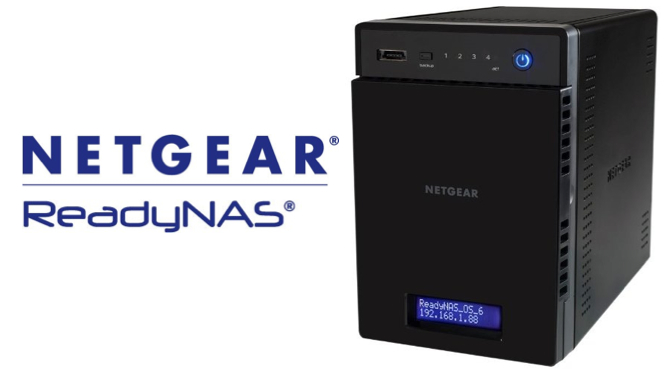
Home Made Linux NAS vs NETGEAR ReadyNAS

Here are a few reasons you may want to build your own Linux computer and enable file sharing instead of using a NETGEAR ReadyNAS:

  • Cloud Backup – Most consumer and business NAS systems are adequate for serving up files, but don’t have much power for server side processes such as those required by CrashPlan and other cloud synchronization co-location backup services. Using a stand alone computer with file sharing on will allow you to have the system backed up to the cloud for extra assurance.
  • Ease of Use – With a NAS system, you’re restricted to what it will allow you to do through the web interface. Using a desktop computer instead will allow you to have easier control.
  • Expansion – A larger tower computer case can typically have four or five drives installed. In addition, it’s also possible to connect an eSATA drive tower that can hold even more drives for greater expansion. Most NAS systems can’t handle so many additional drives. Having all these drives on a single computer makes it possible to have all that data backed up using a cloud service such as CrashPlan.
  • Recoverability – Let’s say 5 years from now your ReadyNAS has a hardware failure. The only way to get the drives up and running would be to plug them into an identical NAS, but by that time nothing similar would be available.
  • Software – The NETGEAR ReadyNAS connects with an online App Store to install programs. Unfortunately, only a few programs are available. If you’re running a Linux system, you will have thousands of programs available.
  • Speed – The NETGEAR ReadyNAS may take more than a day to prepare four drives for RAID use. By contrast, a Linux computer can prepare the same four drives for RAID use in about 4 hours.
  • Temperature – Most NAS systems are contained in a small box that doesn’t allow for much airflow. Here’s a test you can perform on your own: shut down your NAS system and then remove a drive to feel how hot it is. Although temperature monitors will tell you the temperature, feeling the drive really gives you an idea of how hot the drives get when continuously running and not having adequate airflow. An NZXT brand computer case (for example) has multiple fans and plenty of airflow over all the installed drives. This ensures fewer failures due to overheating.

NETGEAR ReadyNAS

Summary

The NETGEAR ReadyNAS is a data storage system for home or business that allows secure local and remote access to files. [Buy]

Product Description

Perfect for all your data including large photo and movie collections, ReadyNAS makes it easy to backup all your valuable content in one secure location where you can then stream it, share it, and access it from anywhere. Not only does ReadyNAS automatically store previous versions of files with hourly backups, it is also fully compatible with the Apple Time Machine for remote or local file backup and recovery from Mac computers. Your files are safe and sound with NETGEAR ReadyNAS.

Features

  • Safe and easy backup for all your computers and mobile devices
  • Stream movies and music with DLNA, iTunes, & PLEX
  • Enjoy and share content from all your devices, anywhere with free mobile apps
  • Automatic RAID protection against disk failure
  • Exclusive snapshot technology for recovering past versions of a file
  • 1.2GHz processor and 512MB on-board memory
  • 4-bays for 16TB maximum capacity
  • Easy drive install plus hot swap

Benefits

  • Stream all your videos—Stream your movies, music and photos to DLNA-enabled smart TVs and game consoles
  • Access your files from anywhere—Wherever you are, your data is there with you. Use the ReadyCLOUD mobile app or web portal for access from any device
  • Share it all—Easily share files with friends, family and co-workers
  • Stay in sync—Keep everything up to date with the ReadyDROP sync folder
  • Store recorded surveillance footage—View, manage, and store recorded video from up to 16 IP cameras per ReadyNAS (premium feature)

Capabilities

  • Stream all your videos—Stream your movies, music and photos to DLNA-enabled smart TVs and game consoles
  • Access your files from anywhere—Wherever you are, your data is there with you. Use the ReadyCLOUD mobile app or web portal for access from any device
  • Share it all—Easily share files with friends, family and co-workers
  • Stay in sync—Keep everything up to date with the ReadyDROP sync folder
  • Store recorded surveillance footage—View, manage, and store recorded video from up to 16 IP cameras per ReadyNAS (premium feature)

Data Protection

  • Back it up—Securely back up files from your PC and Mac computer. Automatically back up your mobile photos
  • Disk failure protection—RAID 0, RAID 1, RAID 5, RAID 6, RAID 10 and XRAID disk failure protection
  • Virus protection—Real-time virus protection
  • File restoration—Hourly snapshots of your files for point-in-time recovery

Product Image Gallery