Some people are calling the Bash Shellshock Bug the worst thing since the Heartbleed Virus. Others are saying that the vulnerability isn’t as bad as reported since it won’t directly effect most users. The truth is probably somewhere in between. This document offers an introduction into what the Bash exploit is and what you can do about it.
Bash Facts
Here are a few facts about Bash.
“Bash or the Bourne again shell, is a UNIX-like shell, which is perhaps one of the most installed utilities on any Linux system. From its creation in 1980, Bash has evolved from a simple terminal based command interpreter to many other fancy uses. In Linux, environment variables provide a way to influence the behavior of software on the system. They typically consists of a name which has a value assigned to it. The same is true of the Bash shell. It is common for a lot of programs to run Bash shell in the background. It is often used to provide a shell to a remote user (via ssh, telnet, for example), provide a parser for CGI scripts (Apache, etc) or even provide limited command execution support (git, etc)” (source)
“Bash is present on every Linux distribution, almost every UNIX system, many Android phones, thousands upon thousands of embedded OS versions on hardware devices — and on every version of Mac OS X ever shipped.” (source)
“This patch doesn’t even BEGIN to solve the underlying shellshock problem. This patch just continues the ‘whack-a-mole’ job of fixing parsing errors that began with the first patch. Bash’s parser is certain have many many many other vulnerabilities; it was never designed to be security-relevant.” (source)
Quick Test for Bash Vulnerability
Using Terminal, you can enter the following commands to test for Bash vulnerability.
env x='() { :;}; echo vulnerable’ bash -c “echo this is a test”
If you type that, and only get the message “this is a test” then your system is most likely not vulnerable (other exploits are currently being evaluated, so don’t assume you’re completely protected). However, if you also see the word “vulnerable” generated, then your system is vulnerable.
If you run the above example with the patched version of Bash, you should get an output similar to:
bash: warning: x: ignoring function definition attempt
bash: error importing function definition for `x’
this is a test
Ubuntu Users
If you’re a user of the latest version of Ubuntu (14) and have been installing system updates regularly, your computer has likely already been patched.
Resources
Rather than recreating here what has already been posted elsewhere, the following resources have been gathered to provide the information you need and save you from searching the web through thousands of articles.
Traditional video surveillance systems have several cameras all linked to a central controller where video footage is saved. These are generally costly to purchase and maintain. Having equipment on-site means that it is vulnerable to being stolen or damaged, leaving no recorded video.
Benefits of Cloud-Based Surveillance
Newer video security monitoring systems have off-site storage of video recordings and provide easy viewing of live or recorded videos from computers, tablets, and smart phones. Wired or wireless cameras function independently and even if a camera is damaged, the video recording leading up to the incident will be preserved off-site.
Video Surveillance Vendors
Here are a few companies to consider when shopping for security and surveillance cameras:
Below are videos about innovations in video surveillance.
Activity Zones
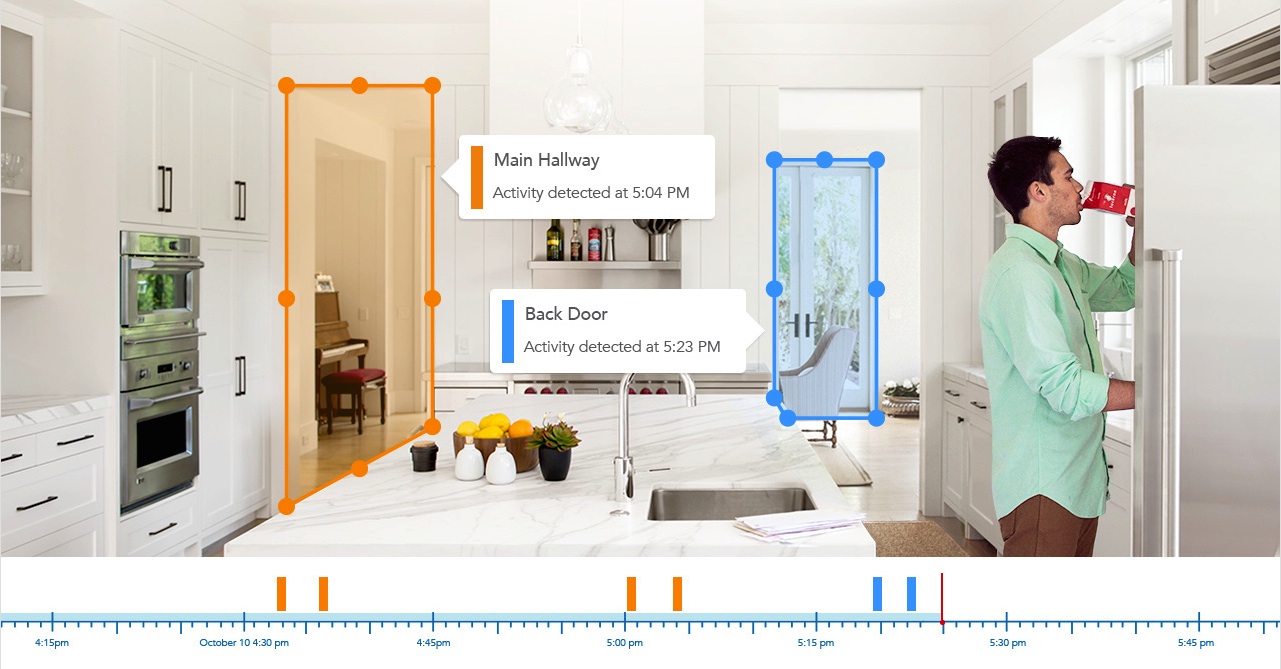
Dropcam has a cool feature that allows you to define activity zones. If there’s motion in a defined area, the camera will identify that and you can view only activity for a certain zone if you like.
TRENDNET® SETS NEW STANDARD FOR FREE IP CAMERA SOFTWARE
TRENDNET (5/30/2012)
TRENDnet’s new free SecurView Pro IP camera management software sets new performance and feature standard
TORRANCE, Calif. –May 30, 2012– TRENDnet, a best-in-class wired and wireless networking hardware brand, today announces the availability of new industry leading SecurView Pro IP camera management software.
SecurView Pro software will be included with every new TRENDnet IP camera launched to market. It is compatible with all existing TRENDnet IP camera models, and will be phased into existing IP camera packaging in the coming months. Customers who own an existing compatible camera, or who have recently purchased a camera with older software are invited to download the new software free from TRENDnet’s website. SecurView Pro is compatible with Windows 7 and Microsoft Server 2008, it offers low CPU loading, and can manage up to 32 TRENDnet IP cameras.
SecurView Pro provides users with extensive camera viewing options including preset viewing modes, custom viewing layouts, and full screen mode. Side, top, and bottom tool bars can be hidden to increase the video viewing field. Managers can drag and drop live feeds to a new location; define camera cycle viewing sequences; and force video with motion to the front of the viewing screen.
Users can define a combination of weekly recording schedules and motion detection recording; program motion detection areas of any shape; integrate alarm system event triggers with IP cameras; set date, time, and text overlays per camera; and define mask overlays to conceal sensitive areas.
Zero loss architecture is provided with the ability to record a single video stream to multiple locations simultaneously. Manage recording files by recording time or by space allocation. Handy recording statistics help manage files and a disk cleaning feature condenses and optimizes old files.
Search and playback functionality is particularly advanced. A navigation timeline provides a quick visual reference to recorded content by displaying when video and motion was recorded over a set time. Users can save significant time using the option to search continuous recordings by motion event, within a defined area of the viewing field. Time lapse playback provides yet another useful search option. The Map feature allows users to map cameras onto an image such as an office floor plan, or onto Google Maps™.
“Free management software included with IP cameras is often cited as having high CPU loading and few advanced features,” stated Sonny Su, technology director for TRENDnet. “Our goal when we started redesigning TRENDnet’s camera software was to set a new standard for performance and functionality. I think customers who experience SecurView Pro software will agree that we hit a home run.”
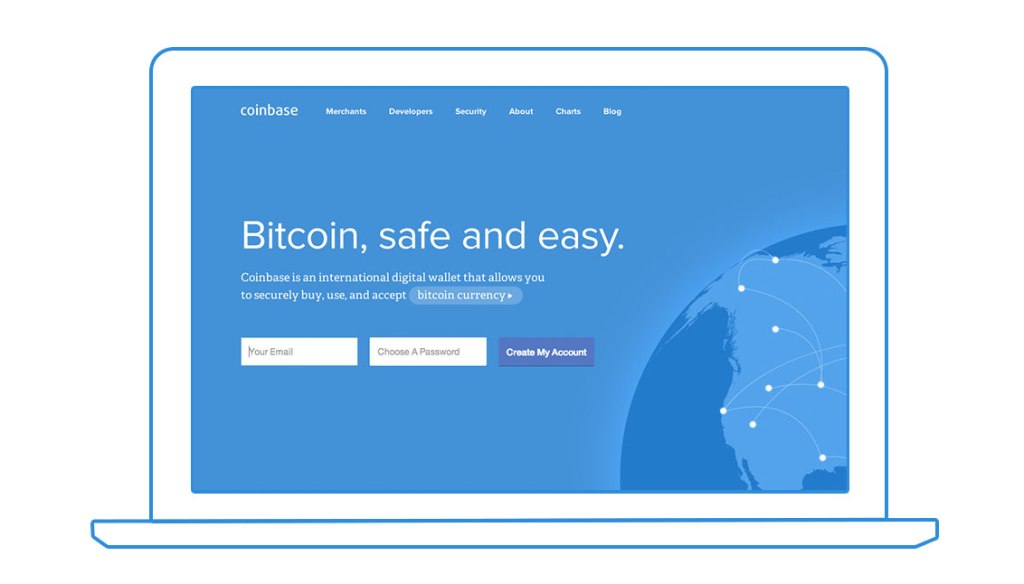
To make a secure connection between your Coinbase Bitcoin account and third-party services such as Intuit Mint, you’ll need to configure an API (Application programming interface).
Each API you create can have different levels of access to your Coinbase account. This is similar to when you authorize Facebook or similar services to have limit access to other services you use.
The following steps assume you already have setup your Coinbase account.
Before creating an API, you’ll need to provide a secondary method of authentication either by SMS message, phone verification, or an authenticator token (using the Authy.com app for your mobile device).
When creating the new API Key, choose the following options:
You’ll need to enable the new API. An email will be sent to your account on file. Click the link to enable the API.
The API use/access by third parties requires a Key and a Secret password. To view these, click on the blue text under the Key heading. You’ll be asked to authenticate again. Then the Key and Secret will be revealed. Provide these to the third party when asked.
IMPORTANT: Because the API key gives someone else limited access to your account, be careful to only use an API with a trusted third party service provider.
Keeping Our Buyers and Sellers Safe and Secure on eBay
On Wednesday, we announced that we are asking all eBay users to change their password. This is because of a cyberattack that compromised our eBay user database, which contained your encrypted password.
Because your password is encrypted (even we don’t know what it is), we believe your eBay account is secure. But we don’t want to take any chances. We take security on eBay very seriously, and we want to ensure that you feel safe and secure buying and selling on eBay. So we think it’s the right thing to do to have you change your password. And we want to remind you that it’s a good idea to always use different passwords for different sites and accounts. If you used your eBay password on other sites, we are encouraging you to change those passwords, too.
Here’s what we recommend you do the next time you visit eBay:
Take a moment to change your password. You can do this in the “My eBay” section under account settings. This will help further protect you; it’s always a good practice to periodically update your password. Millions of eBay users already have updated their passwords.
Remember to always use different passwords on different sites and accounts. So if you haven’t done this yet, take the time to do so.
Meanwhile, our team is committed to making eBay as safe and secure as possible. So we are looking at other ways to strengthen security on eBay. In the coming days and weeks we may be introducing new security features. We’ll keep you updated as we do.
Thanks for your support and cooperation. eBay is your marketplace, and we are committed to keeping it one of the world’s safest places to buy and sell.
As you’ll read in the article below, the U.S. Department of Homeland security is recommending that people use alternative browsers until Microsoft provides a security update for Internet Explorer. Here are some alternative browsers:
Note: In our Windows Setup checklist, we recommend the installation of several browsers when setting up a new computer — for security reasons and also because some websites are not properly viewed with some browsers. If a browser is ‘hijacked’ by malware, it is sometimes possible to switch to another browser and begin the process of cleaning up the computer.
Further Reading
The USA Today news coverage of this story is below. Further reading can be found in the following articles.
SAN FRANCISCO – The U.S. Department of Homeland security is advising Americans not to use the Internet Explorer Web browser until a fix is found for a serious security flaw that came to light over the weekend.
The bug was announced on Saturday by FireEye Research Labs, an Internet security software company based in Milpitas, Calif.
“We are currently unaware of a practical solution to this problem,” the Department of Homeland Security’s United States Computer Emergency Readiness Team said in a post Monday morning.
It recommended that users and administrators “consider employing an alternative Web browser until an official update is available.”
The security flaw allows malicious hackers to get around security protections in the Windows operating system. They then can be infected when visiting a compromised website.
Because the hack uses a corrupted Adobe Flash file to attack the victim’s computer, users can avoid it by turning off Adobe Flash.
“The attack will not work without Adobe Flash,” FireEye said. “Disabling the Flash plugin within IE will prevent the exploit from functioning.”
While the bug affects all versions of Internet Explorer six through 10 it is currently targeting IE9 and IE10, FireEye stated.
The attacks do not appear to be widespread at this time. Microsoft said it was “aware of limited, targeted attacks that attempt to exploit” the vulnerability.
These are called “watering hole attacks,” said Satnam Narang, a threat researcher with computer security company Symantec in Mountain View, Calif..
Rather than directly reach out to a victim, the hackers inject their code into a “normal, everyday website” that the victim visits, he said. Code hidden on the site then infects their computers.
“It’s called a watering hole attack because if you’re a lion, you go to the watering hole because you know that’s where the animals go to drink.”
FireEye said the hackers exploiting the bug are calling their campaign “Operation Clandestine Fox.”
Microsoft confirmed Saturday that it is working to fix the code that allows Internet Explorer versions six through 11 to be exploited by the vulnerability. As of Monday morning, no fix had been posted.
Microsoft typically releases security patches on the first Tuesday of each month, what’s known as Patch Tuesday. The next oneis Tuesday, May 6. Whether the company will release a patch for this vulnerability before that isn’t known.
About 55% of PC computers run one of those versions of Internet Explorer, according to the technology research firm NetMarketShare. About 25% run either IE9 or IE10.
Computer users who are running the Windows XP operating system are out of luck. Microsoft discontinued support of the system on April 8.
Symantec is offering XP users tools to protect themselves, which it has made available on its blog.
Microsoft is aware of limited, targeted attacks that attempt to exploit a vulnerability in Internet Explorer 6, Internet Explorer 7, Internet Explorer 8, Internet Explorer 9, Internet Explorer 10, and Internet Explorer 11.
The vulnerability is a remote code execution vulnerability. The vulnerability exists in the way that Internet Explorer accesses an object in memory that has been deleted or has not been properly allocated. The vulnerability may corrupt memory in a way that could allow an attacker to execute arbitrary code in the context of the current user within Internet Explorer. An attacker could host a specially crafted website that is designed to exploit this vulnerability through Internet Explorer and then convince a user to view the website.
On completion of this investigation, Microsoft will take the appropriate action to protect our customers, which may include providing a solution through our monthly security update release process, or an out-of-cycle security update, depending on customer needs.
Microsoft continues to encourage customers to follow the guidance in the Microsoft Safety & Security Center of enabling a firewall, applying all software updates, and installing antimalware software.
Mitigating Factors:
By default, Internet Explorer on Windows Server 2003, Windows Server 2008, Windows Server 2008 R2, Windows Server 2012, and Windows Server 2012 R2 runs in a restricted mode that is known as Enhanced Security Configuration. This mode mitigates this vulnerability.
By default, all supported versions of Microsoft Outlook, Microsoft Outlook Express, and Windows Mail open HTML email messages in the Restricted sites zone. The Restricted sites zone, which disables script and ActiveX controls, helps reduce the risk of an attacker being able to use this vulnerability to execute malicious code. If a user clicks a link in an email message, the user could still be vulnerable to exploitation of this vulnerability through the web-based attack scenario.
An attacker who successfully exploited this vulnerability could gain the same user rights as the current user. Users whose accounts are configured to have fewer user rights on the system could be less impacted than users who operate with administrative user rights.
In a web-based attack scenario, an attacker could host a website that contains a webpage that is used to exploit this vulnerability. In addition, compromised websites and websites that accept or host user-provided content or advertisements could contain specially crafted content that could exploit this vulnerability. In all cases, however, an attacker would have no way to force users to visit these websites. Instead, an attacker would have to convince users to visit the website, typically by getting them to click a link in an email message or Instant Messenger message that takes users to the attacker’s website.
How is Fitbit keeping my data secure in light of Heartbleed?
LAST UPDATED: APR 22, 2014 02:51PM
On Monday, April 7, 2014, information was made public regarding a major vulnerability in the OpenSSL technology that encrypts much of the internet’s traffic. More information about this vulnerability is available at The Wire.
After patching our servers, we now require all customers to log in again. The next time you visit the web site or mobile application, you will see the login page. If you can’t remember your password, please follow the instructions at How do I reset or change my fitbit.com password?
Note that if you change your password on a third-party account that is linked to your Fitbit account (such as Twitter, Facebook, Runkeeper, and other partners), you may need to relink that account with your Fitbit account.
The nature of the vulnerability makes it difficult to detect malicious behavior that would indicate any customer data or passwords have been compromised. However, we believe these steps are in our customers’ best interests.
More information
Fitbit, like many others, was using an affected version of OpenSSL. We updated all of our severs by 11:00 am (PDT) on April 8th and we are no longer vulnerable. By 5:00 pm (PDT) on the same day, we had also reissued all our certificates with new keys. This is a best-practice safeguard against the possibility of having had our key compromised by this vulnerability.
Note that Fitbit has long configured our servers to utilize forward secrecy whenever possible, further reducing the potential damage that the Heartbleed bug could cause.
Behind the scenes, we have also been busy auditing all of our partner integrations and changing our access keys for any partner that was potentially vulnerable.
(Source: Public email advisory from Symantec/Norton regarding the Heartbleed OpenSSL Bug, 18 April 2014)
You’ve likely heard of Heartbleed over the past week. We wanted to share a bit about what it is, steps we have taken to protect our customers and steps you can take to protect yourself across the Web.
Some versions of Norton AntiVirus, Norton Internet Security and Norton 360 were impacted. On April 10th, we distributed updates to these impacted products to stop and block Heartbleed. Norton Accounts used to sign into Norton.com were not impacted. Please refer to our FAQ for more information on how we’re defending against this vulnerability.
Why Heartbleed affects everyone on the Internet
Heartbleed is a bug in some versions of OpenSSL, a set of software tools used widely across the Web for security. This bug may reveal your name, passwords and other private information.
If you visited a website that uses a vulnerable version of OpenSSL during the last two years, your personal information may be compromised. You can use this tool: http://safeweb.norton.com/heartbleed to check if a particular website is currently impacted.
How to protect yourself
Due of the complex nature of this vulnerability, changing your passwords before sites update their version of OpenSSL won’t fully protect you. Here are some simple steps you can take as a precaution:
Change your passwords on any website that contains sensitive information about you. You should first confirm that the site does not contain the Heartbleed vulnerability by using this tool.
If you’ve reused passwords on multiple sites, it’s especially important to change them. To change your Norton Account password, visit manage.norton.com and click Account Information.
Beware of phishing emails and type website addresses directly in your browser instead of clicking on a link through an email.
Monitor your bank and credit card accounts for unusual activity.
It may take an extended period of time for all the sites affected by Heartbleed to fix this vulnerability. To determine if a website is vulnerable to Heartbleed using this tool. We recommend you only exchange personal or sensitive information such as your credit card number if the site is not affected by Heartbleed.
You can learn more about Heartbleed and its impact to consumers by checking out our FAQ or by following the Norton Protection Blog.
Heartbleed Bug: What You Need to Know and Security Tips
What is Heartbleed? Symantec is continuing to track this OpenSSL bug discovered recently and its implications for consumers. Symantec has created a site devoted to Heartbleed for further information.
Watch to learn more:
“Heartbleed” a name that security researchers have given to a serious bug found in a very common piece of software used by many websites. The software in question is called OpenSSL and is used to encrypt the information that you send to and from websites, such as your login name and password or other sensitive information. You can usually recognize when websites encrypt information when you see a little closed padlock near the address of the website in your browser.
Unfortunately there are many different software implementations used to implement this encryption and there is no easy way to know whether or not a given website is running the particular version of OpenSSL that this bug is present in. We believe most large websites reacted quickly to the news of the ‘heartbleed’ bug and fixed it, however it will likely take a very long time for every website to do so.
Here are some tips to keep in mind over the coming weeks and months to help ensure the safety of your sensitive information as you surf and interact online:
Do not use the same user name and password across multiple sites. Why so? Well think of your password as being a like a door key. In life in general it would be really convenient if we could all use one single key to open every door in our lives… our house, our car, our office etc. Our key-chains would be nice and compact. However, losing that one key to a criminal would also mean that they could potentially freely access every door in your life. Using the same user name and password for every website you use is the online equivalent of having the same key for every door. So although the large websites you use likely reacted to the ‘heartbleed’ bug very quickly, smaller ones may not have, and if you used the same username and password, then if a smaller website you use is compromised that same username and password might be used on one of the larger websites, even if they have already fixed the bug. If you need to access many websites, as most of us do these days, we recommend using a software password manager. Here is a link to ours: Norton Identity Safe, but there are many others on the market today too.
Make sure you avoid simple passwords. Use a combination of upper and lower case letter with a few numbers sprinkled in is a good start. Also the longer the better a password is. Here is a link to a password generator that you might find useful.
Be especially on the watchout for scams. News like that of ‘heartbleed’ is music to a scammer’s ears. They take advantage of events like this by sending out fake email messages asking unsuspecting users to ‘change your password because of the heartbleed bug’. Such messages are known as phishing messages. They can be very hard to spot. Although Norton products are good a detecting and blocking them if you do get a message asking you to reset a password, we recommend that you don’t click on any of the links in the email but rather navigate yourself to the website by typing the address into your browser by hand.
Keep an eye on your sensitive online accounts. It’s always a good practice to to this anyway, but particularly now, pay special attention to online accounts (banks, email etc), as well as bank and credit card statements to check for any unusual transactions.
Finally, if you are looking for something a little more technical on the background to this bug, we’ve got a lot more detail in a blog entry written up by one of our security researchers here: Heartbleed Bug Poses Serious Threat to Unpatched Servers (below).
A newly discovered vulnerability in OpenSSL, one of the most commonly used implementations of the SSL and TLS cryptographic protocols, presents an immediate and serious danger to any unpatched server. The bug, known as Heartbleed, allows attackers to intercept secure communications and steal sensitive information such as login credentials, personal data, or even decryption keys.
Heartbleed, or the OpenSSL TLS ‘heartbeat’ Extension Information Disclosure Vulnerability (CVE-2014-0160), affects a component of OpenSSL known as Heartbeat. OpenSSL is one of the most widely used, open source implementations of the SSL (Secure Sockets Layer) and TLS (Transport Layer Security) protocols.
Heartbeat is an extension to the TLS protocol that allows a TLS session to be kept alive, even if no real communication has occurred for some time. The feature will verify that both computers are still connected and available for communication. It also saves the user the trouble of having to reenter their credentials to establish another secure connection if the original connection is dropped.
How does it work? Heartbeat sends a message to the OpenSSL server, which in turn relays that message back to the sender, verifying the connection. The message contains two components, a packet of data known as the payload which can be up to 64KB and information on the size of the payload.
However, the Heartbleed vulnerability in OpenSSL allows an attacker to spoof the information on the payload size. For example, they could send a payload of just one kilobyte in size, but state that it is 64KB.
How an OpenSSL server deals with this malformed Heartbeat message is key to the danger this vulnerability poses. It does not attempt to verify that the payload is the same size as stated by the message. Instead it assumes that the payload is the correct size and attempts to send it back to the computer it came from. However, since it doesn’t have the full 64KB of data it will instead automatically “pad out” the payload with data stored next to it in the application’s memory. If the server received a 1KB payload, it will thus send it back along with 63KB of other data stored in its memory. This could include the login credentials of a user, personal data, or even, in some cases, session and private encryption keys.
The data the application sends back is random and it is possible that the attacker may receive some incomplete or useless pieces of data. However, the nature of the vulnerability means that the attack can be performed again and again, meaning the attacker can build a bigger picture of the data stored by the application over time.
Private encryption keys may be the most difficult thing to steal using this attack. Data is stored in a sequential fashion, with new data stored in front of older data. Encryption keys will usually be stored “behind” the payload in memory, meaning they are less likely to be accessed. Content from current SSL/TLS sessions is the type of data most likely to be at risk.
The Heartbleed bug is the latest in a series of SSL/TLS vulnerabilities uncovered this year. TLS and its older predecessor SSL are both secure protocols for Internet communication and work by encrypting traffic between two computers.
In March, a certificate vulnerability was found in security library GnuTLS, which is used in a large number of Linux versions, including Red Hat desktop and server products, and Ubuntu and Debian distributions of the operating system.
GnuTLS is an open source software implementation of SSL/TLS. The bug meant that GnuTLS failed to correctly handle some errors that could occur when verifying a security certificate. This could allow an attacker to use a specially crafted certificate to trick GnuTLS into trusting a malicious website. The vulnerability was immediately patched by GnuTLS.
Heartbleed is by far the most serious vulnerability in SSL/TLS to be uncovered of late. The nature of the bug and the fact that affects one of the most widely used implementations of SSL/TLS means that it poses an immediate risk.
Advice for businesses:
This is a vulnerability of the OpenSSL library, and not a flaw with SSL/TLS nor certificates issued by Symantec.
Anyone using OpenSSL 1.0.1 through 1.0.1f should update to the latest fixed version of the software (1.0.1g), or recompile OpenSSL without the heartbeat extension
After moving to a fixed version of OpenSSL, if you believe your web server certificates may have been compromised or stolen as a result of exploitation, contact the certificate authority for a replacement
Finally, and as a best practice, businesses should also consider resetting end-user passwords that may have been visible in a compromised server memory
Advice for consumers:
You should be aware that your data could have been seen by a third party if you used a vulnerable service provider
Monitor any notices from the vendors you use. Once a vulnerable vendor has communicated customers that they should change their passwords, users should do so
Avoid potential phishing emails from attackers asking you to update your password – to avoid going to an impersonated website, stick with the official site domain
Stick to reputable websites and services. They are most likely to have immediately addressed the vulnerability
Monitor your bank and credit card statements to check for any unusual transactions
UPDATE April 10, 2014: Symantec’s SSL Tools Certificate Checker will check whether a website is vulnerable to exploitation. You can access the Certificate Checker at the following location: https://ssltools.websecurity.symantec.com/checker/
To use the Certificate Checker, click on Check your cerftificate installation and then enter your website URL.
Page Visits
The maps below show recent visitors to this page. Click an image for a larger gallery view.
On April 13 I had an interview with Justin Andrews of KWWL. We discussed the Heartbleed security exploit and what consumers can do to protect themselves. Click here to view the interview and read the KWWL story. If you have questions about this and other computing security concerns, feel free to contact me. This document was originally posted on April 13 and remains mostly the same as it did originally.
“Considering the long exposure, ease of exploitation and attacks leaving no trace this exposure should be taken seriously.” ~ CodeNomicon
Understanding the Heartbleed Vulnerability
Here are some points that should be emphasized regarding the Heartbleed security exploit:
Programming Oversight. The Heartbleed exploit was not the creation of hackers. For this reason, it is unlike viruses, malware, spyware, denial of service attacks, and botnets, It is the result of a programming oversight. Similar security vulnerabilities have been repeatedly discovered in software from Adobe and Microsoft. However, these are usually identified and quickly patched. The Heartbleed vulnerability went undiscovered for two years. This gave hackers a significant window of opportunity to take advantage of the vulnerability and gather information.
Impact Unknown. The nature of the exploit, and the fact that it went undetected so long, make it difficult to know the full impact. Organizations and businesses have been reluctant to disclose the impact of the vulnerability because that may expose them to criticism and it also would disclose confidential information about the security and encryption protocols they use. Some companies are coming forward to let consumers know they should change their login credentials.
Taking Action – Summary
This is still a developing story. There’s a growing list of hardware devices that are known to be impacted, such as 50 million Android and Blackberry devices. These will need to be updated or replaced. In general, you should change your passwords on all online user accounts, starting with your email accounts. However, for any system not yet patched, you may want to change your password now and then again after it has been patched.
Change Email Passwords First
As you may have noticed, most online accounts have a “I forgot my password” option that sends a password reset to the email account on file. This means that every website you use can be easily accessed by anyone who has your email account login details. They simply need to review your emails for bank, health, investing, shopping, and other sites. Then, go to those sites and click the password recovery link. It’s that simple. So, your email account is a like master key to all other accounts. For this reason, it should have a very secure password. You may wish to have two or three separate email accounts, with one rarely used that is for higher security purposes. When a security breech like Heartbleed takes place, it’s important to update your email passwords first because updating your other accounts won’t be secure until your email is secure.
Password Manager
Because confidential account information includes authentication questions, account numbers, and other personal identity details, it’s important to have a secure encrypted digital lock-box where this information can be stored. Password managers provide an encrypted database where you can securely store all of your account information. Most have the ability to synchronize data locally (on your local WiFi network) between devices. This makes it more feasible to have complex passwords and diverse authentication questions. An example of a password manager is 1Password by Agilebits.
Strong Passwords
Most systems enforce strong passwords and won’t allow you to use a short, simple, easy to guess, or previously used password. Here are some general guidelines for creating a strong password.
A secure password should:
Be at least 10 characters
Have at least two lower case characters
Have at least two capital letters
Have at least two number
Have at least one special character (such as * # % !)
Note have multiple identical consecutive characters as a way to make the password longer (such as Password7777777)
Not include the account name or account owner name
Not be the same or similar to any other online account
Not be the same as your previous 10 passwords
Tools
These are some of the tools provided to help respond to this bug. It’s reported that 95% of web tools don’t work. So, you shouldn’t rely entirely on these tools, but if one reports that you’re vulnerable that may be a helpful indicator.
Some websites now offer two-factor authentication, also known as two-step authentication or multi-factor authentication. These include sites such as WordPress.com and Gmail. In addition to being required to enter your username and password, an additional piece of randomly generated information is required to login. This reduces unauthorized access to accounts.
For example, the Google Authenticator is an app that runs on your smartphone. It is continuously generating random codes that are good for a short period of time before expiring. An active good code is required to access accounts protected by their two-step authentication system.
Websites Impacted by Heartbleed
A few websites have been doing a good job of maintaining lists of websites that were impacted by Heartbleed as well as some that weren’t. There are some websites that we don’t yet have information about. Review the following reports for more details about which accounts may be more vulnerable than others.
A variety of hardware products and systems may be impacted, as well as some software. The articles here offer more information about certain systems that may be impacted. This is not a comprehensive list.
Some companies and organizations have been quick to announce that they aren’t impacted, or that they’ve patched their website.
As you might imagine from the long list of impacted hardware and software above, it’s actually difficult for an organization to have and immediate comprehensive understanding of the impact.
While a company’s website might not have been using OpenSSL, other services they rely on, third party websites, and hardware devices could be vulnerable. That takes time to discover and fix.
Additionally, even if a company’s public-facing website(s) or resources have been patched or weren’t effected, it’s common for users to have the same login and password on multiple systems. So, if they interacted elsewhere with a vulnerable system, the could be impacted.
Regardless of what an organization or company claims, there will likely be some ripple effects and long-term impact of the OpenSSL vulnerability. So, it’s best to be cautious and careful in this regard.
(Source: “Heartbleed – Reports from the Field,” Symantec, 12 April 2014)
It has been now five days since details emerged regarding the “Heartbleed” vulnerability in OpenSSL. During this time we have been researching the impact of the vulnerability, tracking the patch states of popular websites, and monitoring attacks. So what have we learned?
Most popular sites are no longer vulnerable
We have been tracking the most popular websites to see which of them are currently vulnerable to Heartbleed. No website included in Alexa’s top 1000 websites is currently vulnerable. Within the Alexa top 5000 websites, only 24 websites are vulnerable. Overall, within the Alexa top 50,000 websites only 1.8 percent is vulnerable to Heartbleed. Based on this data, chances are that the websites most frequently visited by the average user are not affected by Heartbleed.
It is possible that your data may have been stolen prior to a website being updated. To mitigate against this ensure that you do not reuse passwords across multiple sites.
Yes, you should change your passwords
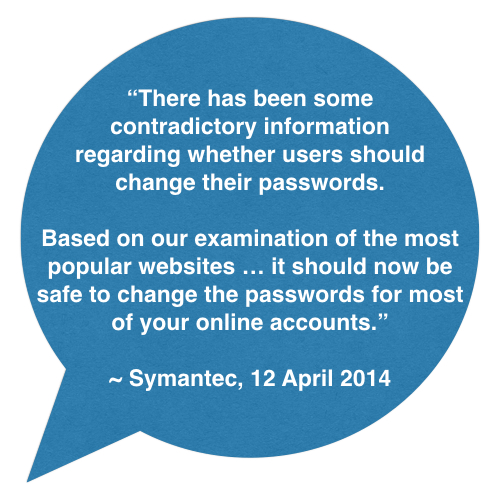
There has been some contradictory information regarding whether users should change their passwords. Based on our examination of the most popular websites above, it should now be safe to change the passwords for most of your online accounts.
If you have any doubt, Symantec offers the following tool to check whether a website is vulnerable to Heartbleed:
If a website is still vulnerable, do not change your password for that site just yet.
The problem is serious, but a doomsday scenario is unlikely
Heartbleed could be used by attackers to steal personal data such as usernames and passwords—and doing so is relatively easy. However one of the biggest concerns is that the vulnerability could be used to steal the private keys which are used to encrypt communications with websites. By stealing these keys, attackers could eavesdrop on communications or set up fake websites which impersonate legitimate websites allowing them access to even more data. As stated in our previous blog, stealing these keys is very difficult. Some researchers have been successful in stealing keys using Heartbleed, but each case required specific circumstances to be met; in particular, keys are more likely to be exposed only at the moment after the web server is started.
Heartbleed is not being widely used by attackers
Our monitoring has shown that while there is widespread scanning for vulnerable websites, most of this scanning seems to be originating from researchers. We have witnessed relatively few mass scans for the Heartbleed vulnerability originating from attackers. Attackers could be targeting specific sites but, fortunately, the most popular sites are no longer affected.
IPS will help block attacks
Symantec IPS signature 27517, Attack: OpenSSL Heartbleed CVE-2014-0160 3, has been released and will detect and block attempts to exploit Heartbleed on vulnerable servers.
Advice remains the same
For businesses:
Anyone using OpenSSL 1.0.1 through 1.0.1f should update to the latest fixed version of the software (1.0.1g), or recompile OpenSSL without the heartbeat extension.
Businesses should also replace the certificate on their web server after moving to a fixed version of OpenSSL.
Finally, and as a best practice, businesses should also consider resetting end-user passwords that may have been visible in compromised server memory.
For consumers:
Be aware that your data could have been seen by a third party if you used a vulnerable service provider.
Monitor any notices from the vendors you use. Once a vulnerable vendor has communicated to customers that they should change their passwords, users should do so.
Avoid potential phishing emails from attackers asking you to update your password. To avoid being tricked into going to an impersonated website, stick with the official site domain.
For further information
For the latest information on Heartbleed, including how to minimize your risk, please visit the Symantec Heartbleed outbreak page:









 Iowa City Technology Services