Neat Receipts Cloud QuickBooks Integration

The online cloud version of Neat Receipts now offers integration with QuickBooks from Intuit. Here are a few of the new features:

  • Connect to QuickBooks Online and utilize new mapping screens for quick setup
  • Sign in to Neat with your Intuit login credentials
  • Send expense reports as Bills or Checks to QuickBooks Online for reimbursement of out-of-pocket expenses
  • Send receipts to a credit card account in QuickBooks Online to be matched against imported data from financial institutions
  • Send Invoices to QuickBooks Online as Bills to be paid

Evernote 5.7 Features

These are the features and enhancements for Evernote 5.7 and some of the other recent updates. So often we install updates without taking a moment to read the details about enhancements that we might want to take advantage of.

Version 5.7.0

Premium feature: Context

  • Context displays notes, articles, and people related to what you’re working on
  • View related articles from The Wall Street Journal and other sources and related people from LinkedIn and your business

Presentation Mode has been improved with a fresh look and new features

  • Use the layout panel to navigate your presentation and add dividers
  • Images are now presented from screen-edge to screen-edge
  • Beautifully styled tables make your information stand out

Other improvements:

  • Send messages to share notes and discuss things you’re working on without leaving Evernote
  • Bug and stability fixes

Version 5.6.2

At Evernote, we believe that speed and stability are essential for productivity. That’s why we’ve completely rewritten Evernote for Mac. It may look familiar but it’s significantly faster, more reliable and consumes less energy than ever before. We’ve also snuck in some new features!

Speed:

  • Sync is more than 3x faster. Users with lots of shared notebooks and Evernote Business users will see the biggest improvements.
  • New notes sync instantly so they’re immediately accessible on your other devices.
  • Share notes without waiting for a sync to complete.
  • Launch and quit times have been reduced dramatically.
  • New keyboard shortcuts have been added to jump to the note list for easy navigation (CMD + |) and you can now tab between the search field, the note list, current note title and note body.
  • Energy consumption when the app is idle has been significantly reduced.

New features:

  • Tables can now be resized, and have configurable background colors and border styles.
  • Images can be resized right in the note editor. Just click an image and drag the handle in the bottom right corner.
  • Search results are now ordered by relevance.
  • Faster notebook selector at the top of the note list remembers your recently used notebooks.
  • Redesigned checkboxes in the note editor are easier to click.
  • Evernote will now stay logged in by default.
  • Search your notes with Spotlight.

Stability:

  • We’ve closed over 500 bugs including more than 150 types of crashes.
  • Our crash reporting system has been completely rebuilt.
  • Removed repeated offline alerts
  • In list view, the relevance column can now be hidden from search results
  • Resolved an issue that caused note conflicts when sharing new notes
  • Squashed bugs related to migration from the Mac App Store version

Version 5.5.2 (07/02/2014) build 402634

  • Various bug and stability fixes

Version 5.5.1 (03/25/2014) build 402628

  • Various bug and stability fixes:
    • Improvements to Descriptive Search
    • Note you are working on stays in focus during sync
    • Improved searching through large documents

Version 5.5 (02/04/2014) build 402491

Version 5.5 (02/04/2014) build 402489

  • New Feature: Descriptive Search
    • Find what you want in the most natural way ever. Search your notes by place (“Tokyo”), file contents (“Documents” or “Images”), date ranges and more.
    • Searches to try:
      • “notes with PDFs”
      • “notes from Paris”
      • “recipes created last week”
    • This feature is currently available in English only.
  • Various bug and stability fixes:
    • Fixed: Screenshots including Quick Note Helper window
    • Fixed: Evernote window issues
    • Business card scanning improvements
    • Fixed: sync issues which may have caused crashing

Version 5.4.5 (01/04/2014) build 402372

  • Bug fixes

Version 5.4.5 (01/04/2014) build 402367

  • Bug fixes

Version 5.4.4 (12/04/2013) build 402282

Stability improvements and bug fixes

Bug fixes:

  • Fixed: Content scrolls when dragging window
  • Fixed: Issues attaching documents in OS X 10.6
  • Fixed: Large notes showing blank spots

Known issue: Spotlight does not index notes created on OS X 10.9. We are working on a fix.

Version 5.4.3 (11/15/2013) build 402231

Improved support for OS X 10.9

New Markup Features

  • Rotate or delete pages from a PDF
  • Add a markup summary page to annotated PDFs
  • Easily clear all markup
  • Flip or rotate images

Other Fixes

  • Improved support for dragging images from web browsers
  • Various bug and crash fixes

Known issue: Spotlight does not index notes created on OS X 10.9. We are working on a fix.

Version 5.4.1 (10/09/2013) build 402013

Bug fixes

Version 5.4.0 (10/03/2013) build 401989

Introducing Evernote Business 2.0

  • Business Home makes your company smarter than ever
    • Get to know your members of your business and learn about their recent activity by browsing their profiles
    • Discover notebooks and notes published by your coworkers, find popular notebooks and top contributors
    • Search and browse notes in every Business Notebook you have access to and preview notes before you join notebooks
  • Expertise Discovery: searching your notes also displays related people and provides access to shared notes in your business
  • Convert personal notebooks to business notebooks

Other New Features

  • Mark up images, PDFs and whole notes from within Evernote

Bug fixes

Version 5.3.0 (09/18/2013) build 401872

New Premium Feature: Presentation Mode

  • Present your notes in a beautifully laid out, full-screen view with one click
  • Dual screen support: Present on one screen while taking notes on the other
  • Display images, documents and attachments in the presentation
  • Use the laser pointer feature to help everyone follow along

Improved Premium Feature: Related Notes

  • See up to five Related Notes at the bottom of the Note Editor

New Evernote Business Feature

  • Easily convert personal notebooks into Business notebooks

Other enhancements

  • Redesigned search highlighting
  • Evernote Food notes are now editable
  • Right-click on a note to convert it to a PDF

Version 5.1.1 (05/21/2013) build 401255

  • New Features
    • Reminders: Never forget important and in-progress notes
      • Adding a reminder pins the note to the top of your note list
      • Add a due date to receive in-app and email notifications
      • Mark notes as Done when you complete them
      • See reminders and get notifications for notes in shared notebooks
    • Enhanced security with XAuth
      • View all applications that access your account from Evernote Web Settings
    • Redesigned vertical list view shows more notes on-screen
    • New text styles: Superscript (CMD Ctrl +) and Subscript (CMD Ctrl -)
    • Edit your Saved Searches
  • Other improvements
    • Copy/paste improvements
    • Numerous stability improvements
    • Various search improvements

Version 5.0.7 (03/12/2013) build 400995

  • This update addresses a security issue that requires you to reset your password. Details on blog.evernote.com
  • Re-designed menu bar Helper called Quick Note: Create a note any time by clicking the helper or CMD+CTRL+N
  • Various bug and localization fixes

Version 5.0.5 (01/24/2013) build 400808

  • New Features
    • Shortcuts are synced with your Evernote account
    • Searches can be scoped to “My Notes” which excludes shared Notes
    • Business users can scope searches to “Personal Notes” or “Business Notes”
    • Notes clipped using Evernote Clearly are beautifully styled
    • AppleScript can create checkboxes in ENML
    • In Expanded Card View, pressing Return opens Notes
    • New button to jump to a Note’s Notebook from the Note Editor
    • Command-click to multi-select Tags in the Sidebar
  • Other improvements
    • Large accounts sync much more reliably
    • Tags from Joined Notebooks now appear correctly
    • Corrected image and link pasting issues
    • PDF printing is more reliable
    • Fixed Snow Leopard Sidebar visual glitches
    • Fixed crash when taking screenshots
    • Korean image indexing is greatly improved
    • Reduced CPU/memory usage
    • Fixes to Saved Searches
    • Various fixes for Evernote Business
    • Improved handling of Tags in AppleScript

Version 5.0.4 (12/12/2012) build 400704

Stability enhancements

Version 5.0.3 (12/06/2012) build 400675

  • Bug Fixes

Version 5.0.2 (12/03/2012) build 400649

New Features

  • New Premium feature: Related Notes in the note editor
  • Drag-and-drop Notes onto Notebooks and Tags in the Sidebar
  • Added an option to show Note counts in the Sidebar
  • Added a Trash button to the Note Editor

Other Improvements

  • Nested tags stay visible
  • Fixed Atlas for Portuguese users
  • Fixed Local Notebook creation
  • Fixed “notebook:” and “tag:” searching
  • Better high-DPI image handling in the Note Editor
  • Reduced CPU/memory usage
  • Various bug and localization fixes

Version 5.0.1 (11/27/2012) build 400591

New Features

  • Drag-and-drop Notes onto Notebooks and Tags in the Sidebar
  • Added an option to show Note counts in the Sidebar
  • Added a Trash button to the Note Editor

Other Improvements

  • Fixed Local Notebook creation
  • Fixed “notebook:” and “tag:” searching
  • Better high-DPI image handling in the Note Editor
  • Reduced CPU/memory usage
  • Various bug and localization fixes

Version 5.0.0 (11/15/2012) build 400539

Evernote 5 has been redesigned with over 100 new features including:

Left Sidebar

  • Shortcuts: Drag notebooks, notes, and tags to the left pane for quick access
  • Recent notes: Lets you quickly get back to notes from anywhere in Evernote
  • Notebooks and Tags view: Organize your Evernote more efficiently

Browsing and Creating Notes

  • Atlas: Browse your notes visually by geographic location
  • Card and Snippet views: A better way to browse notes
  • Scalable note editor: A more elegant way to create notes, both big and small
  • Full-screen single note view: Excellent for composing notes without distractions
  • Change a note’s location: Type a place manually or click the compass arrow in note info
  • Lots of keyboard shortcuts: Learn more on our What’s New page
  • Shared banner: Indicates how many people have access to content in shared notebooks
  • Better simple and plain text handling: Simplify notes to remove complex formatting or convert them to plain text
  • Indent text: Evernote for Mac now supports text indentation
  • Notes created on the Mac are now tagged with location information for Atlas

Smarter Search

  • Type ahead search: Completes your thoughts with suggestions from your account
  • Search Personal and Joined notebooks: Search your entire account from one place
  • Search options: Powerful new feature that lets you easily filter your search

Collaboration

  • Better sharing: Notebooks and shared notebooks are all in one place
  • Mountain Lion notifications: See Evernote activity in Notification Center
  • Joined notebooks can be added to stacks

Other Improvements

  • Lots of stability improvements
  • Sync improvements: Faster, more reliable sync
  • Explore Evernote: First launch experience that helps you get the most out of Evernote

Disruptive Trends on the Technology Landscape

Disruption in Technologies and Services

It’s difficult these days to get any kind of assurance for the longevity of the hardware, software, and services we rely on.  Companies announce new products and services with great fanfare. Consumers buy in, and over years, begin to heavily rely on those new products and the processes we develop for them. They impact our relationships and work life. Then one day, those services or products are discontinued or dramatically changed. This pattern is disruptive to our personal life and work life. What’s sad is that these business decisions aren’t made based on what’s best for society or individuals, they are based on profits. A great product that’s helping people and society will be discontinued if something more profitable comes along (even if it’s not so helpful to society).

Apple’s Track Record

On November 5, 2010, after over 8 years of sales and promotion, Apple abruptly announced that their Xserve line of servers would be discontinued on January 31, 2011.
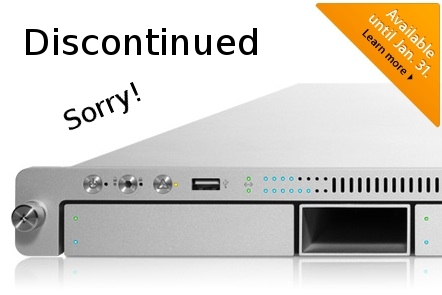
20140921su-apple-xserve-server-1u-discontinued-sorry

Providing less than a 3-month notice for this change was a shock to those in the industry who generally plan 4 and 5 years in advance. Server farms built on the Apple infrastructure were now at a standstill with regard to hardware continuity. Often facilities are setup and new equipment is phased in over several years rather than all at once. So, this left large installations only partially setup with hardware that would no longer be available. Nobody wants to have a room full of servers that are different platforms.

Another wonderful enterprise-class solution that Apple pulled the plug on was their Final Cut Pro and Final Cut Server video production solution. Again, as with their rack mounted servers, this was another example of a sudden change that would have a huge adverse and disruptive impact on many professionals.

An additional blow to professionals and high-end computer users was the choice to discontinue the Apple Mac Pro computers that provided high-end graphics card options and up to four internal hard drives that could be set to RAID configuration and upgraded easily.

Websites are another complex long-range endeavor. Those who trusted Apple and jumped on the iWeb bandwagon were unpleasantly surprised to learn that Apple would no longer be updating or supporting iWeb.

Another ongoing problem with Apple is the introduction of standards for cables and adapters. Whether power cords, video cables, or hard drive interfaces like Firewire, Apple is constantly changing their mind on what standard to use. New ‘innovations’ result in tons of non-recyclable toxic consumer waste being released into the environment.

True to Apple’s demonstrated corporate practices, there is usually little or no advance notice before these abrupt changes take place. This has caused many people to switch away from Apple and move toward more ubiquitous hardware and software choices (like Linux running on whatever piece of hardware happens to be available).

Yet, Apple isn’t the only company that rolls out long-term innovative solutions, that slowly gain thousands of followers, just before the projects are terminated.

On September 2, 2011, Google announced that they would be discontinuing numerous products. This announcement included blatantly misguided and incorrect statements designed to appease consumers:

  • Google Desktop was a very useful tool for people wanting to search their computer for files. Google discontinued this amazing tool claiming that “In the last few years, there’s been a huge shift from local to cloud-based storage and computing.” Years later, people are still buying computers with massive internal storage, they are still storing files on those computers, they are still buying external hard drives for storing their files. Cloud storage simply is not a replacement for local storage. Google may have wished that this might nudge consumers into using their Google Drive product, but despite such services being readily available, they don’t work for everyone in every situation. Even as a staging area, we need local storage to quickly organize huge collections of files.
  • Google Pack was discontinued and Google provided this explanation, “Due to the rapidly decreasing demand for downloadable software in favor of web apps, we will discontinue Google Pack today.” What Google wishes to be true isn’t necessarily true. One need look no further than the Apple App Store. By 2013 there had been 50 Billion software downloads. Google wishes the entire world would have a high speed internet connection and use their web dependent browser apps, yet wishing it to be doesn’t make it so.

By March of 2013, Google made another surprise announcement and brought the number of discontinued services to 70.

When Google discontinued their Google Video service in favor of YouTube, this left thousands of consumers with videos in their cloud and very likely no local copy of those videos from years ago. They had the option to download them before they would be deleted, but for people with many videos stored, this was a huge undertaking. No option was offered to migrate those videos seamlessly to YouTube.

Another example of “wishing it to be true doesn’t make it so” (like Google’s examples above) was Apple’s declaration that they days of the DVD drive are over. Apple discontinued having DVD drives in their desktop and later laptop computers. They imagined that everyone would buy videos from their iTunes store. Yet, consumers have purchased millions of Blueray discs because of the sense of ownership and due to the fact that downloading and storing such high resolution movies would be problematic.

When explaining why their laptop and desktop computers don’t have touch screens, the statement from Apple was that consumers won’t want to reach up and touch a screen. In reality, Apple was ensuring that consumers wouldn’t find all the features they were looking for in an individual product. For example, a MacBook air with touch screen would impact their iPad sales. An iPhone with a larger screen might impact sales of the iPad Mini.

In their iMac computers, Apple introduced an amazingly popular feature — the remote control. Now consumers could watch videos on their computer as an alternative to a television. Ooops! Apple realized that to pull consumers away from their computers, and get them to purchase an Apple TV device, they’d need to discontinue the remote control for their iMac computers, and that’s what they did.

Best Practices in Disruptive Environments

The point of this article is not to bash on Apple or Google, but instead to raise awareness about the state of technology and services we rely on. Consumers and businesses should always have an ongoing plan for how to mange computing and data storage.

Use Standard Programs

One approach to consider is the following. Let’s say you have found an amazing program that let’s you enter your home inventory, or track your weight lifting, or keep track of some other kind of information. If you use a specialized program, your data may end up in a system that won’t let you easily migrate to another when that system is no longer around. If instead you use a spreadsheet, you can later transfer the information to another spreadsheet program if the one you’re using is no longer available.

In other words, look for the simplest effective solutions to your technology needs. This will reduce your risk of disruption from industry changes and abrupt business decisions.

Choose Long-Term Support

With an operating system like Ubuntu, for example, you get 5-years of long term support guaranteed. The operating system can run on just about any hardware (new and old). So, your’e not dependent upon a certain hardware vendor (like Apple) when you need to find a replacement.

Similarly, if you grow dependent upon a mobile phone operating system like Android,  you can choose from a wide variety of vendors and phones, rather than being locked into a specific hardware vendor who, knowing you’re dependent upon their ecosystem, can charge you top-dollar for what might not be the best product on the market.

Dell offers the Latitude series of laptop computers with a guarantee of long-term support for parts. They also make an effort to have parts such as batteries and CD/DVD drives be interchangeable from one model year to the next. This is helpful for larger enterprises as well as small businesses and individuals.

Remove Complexity

If you find that you’re increasingly dependent upon complicated systems and software, consider simplifying your life or business rather than letting things grow more complicated and dependent upon expensive proprietary solutions.

These are a few suggestions for better navigating the changing technology landscape.

Hiren’s BootCD 15.2 Download for USB

20140829fr-hirensbootcdIntroduction

Hiren’s BootCD is a collection of utility programs available for download in a single zip file. This is a useful tool for computer consultants to have. Here are some resources for learning more:

From the Wikipedia page:

“As it is bootable, the operating system of the computer need not be available for the tools to be usable. All that is required is that the computer is able to run Microsoft Windows and Linux (but it does not have to have either of these installed at the time of use). Most of the tools are also available when the operating system is already started.”

Below is information about the latest version. You can use utilities like ISO to USB or Rufus to create a bootable USB of the utilities.

20140829fr-hirensbootcd-box

Changes From Version 15.1 to 15.2

New Added Softwares, Updated Functions:

  • BattStat 0.99b: Battery Status monitor and power management freeware for Windows 7/Vista/XP/2000 x86/x64.
  • BrowsingHistoryView 1.05: To view history data of Internet Explorer, Mozilla Firefox, Google Chrome, and Safari Web browsers in one table.
  • ClearLock 1.4.0: To lock your desktop with a transparent layer, allowing you to see what is happening on your desktop and at the same time prevent access to the computer without the proper password.
  • DRevitalize 1.2: Repairs bad sectors (physical defects) on hard drives by generating a special sequence of high and low signals around the physically damaged area.
  • EncFS 1.7.4: This should be used for secure online file backup services such as Google Drive, Dropbox and Sugarsync as the encryption do not occupy a fixed size containers and backup programs can copy encrypted files and can be accessed from linux, iPhone/iOS and android using BoxCryptor and Cryptonite.
  • ImDisk 1.6.0: To create/mount virtual hard disk, floppy or CD/DVD drives using image files or system memory.
  • MBRCheck 1.2.3: Checks the legitimacy of the Master Boot Record (MBR) code of the hard drives.
  • McAfee Removal Tool 6.0.152.0: McAfee Consumer Product Removal Tool removes all 2005 – 2012 versions of McAfee products.
  • MiniXP: Added/updated Storage/LAN/WLAN drivers and other minor improvements, iso boot works, path can be changed in HBCD\XP\X using notepad.
  • Norton Removal Tool 20.0.0.21: SymNRT uninstalls most Norton AntiVirus, Norton Internet Security, Norton 360, and Norton SystemWorks even when the uninstaller fails to remove them.
  • Remove Non Present Drivers: Automatically remove all non-present/disconnected devices from a Windows and can often be useful to prevent misbehaving/unnecessary drivers from being loaded, cleanup drivers when you replaced motherboard or used backup image of different hardware.
  • Tor Browser 2.2.39: Surf the internet anonymously through encryption, even https sites can be browsed safely where it is blocked by your local ISP.
  • WifiInfoView 1.05: Wireless networks information including Network Name (SSID), MAC Address, PHY Type (802.11g or 802.11n), RSSI, Signal Quality, Frequency, Channel Number, Maximum Speed, Company Name, Router Name/Model and more.
  • Windows Product Key Update Tool 1.7: This tool is from microsoft to change the key of illegal/pirated installed xp to legit xp keys from the sticker on the PC, even if it is oem and not retail/corporate.

Updated Softwares:

3DP Chip 12.09, All Users Temp Cleaner 1.2, AlternateStreamView 1.32, Astra 6.01, Autoruns 11.34, Avira AntiVir Personal (18-10-2012), BellaVista 1.1.0.71, BIOS Master Password Generator (Sony), BlueScreenView 1.46, BootICE 2012.09.20, BulletsPassView 1.25, CCleaner 3.23.1823, ClamWin Free Antivirus 0.97.6, CloneSpy 2.63, ComboFix (18-10-2012), Complete Internet Repair 1.3.1.1315, CPU-Z 1.61, CurrPorts 2.02, Defraggler 2.11.560, Device Doctor 2.1, Don’t Sleep 2.82, Drive SnapShot 1.40, DriveImage XML 2.42, FastCopy 2.11, FileTypesMan 1.62, GParted Partition Editor 0.14.0, GPU-Z 0.6.5, grub4dos 2012-10-02, HashMyFiles 1.90, HDAT2 4.9B1, Image For Dos 2.75, Image For Windows 2.75, ImgBurn 2.5.7.0, InfraRecorder 0.53, IrfanView 4.33, IsoBuster 3.0, isolinux 4.05, LicenseCrawler 1.11.239, Mail PassView 1.78, Malwarebytes Anti-Malware 1.65 (18-10-2012), MemDisk 4.05, Notepad++ 6.2, NTFS Access 2.2, NTFSLinksView 1.07, Opera 12.02, Parted Magic 2012-10-10, Partition Saving 4.00, Partition Wizard Home Edition 7.6.1, PC Wizard 2012.2.11, PCI 32 Sniffer 1.4 (18-10-2012), PCI and AGP info Tool (18-10-2012), PhotoFiltre 6.5.3, PhotoRec 6.14b, PLoP Boot Manager 5.0.14, Process Explorer 15.23, Process Monitor 3.03, ProcessActivityView 1.12, ProduKey 1.54, PuTTY 0.62-t012, Recuva 1.43.623, RegFromApp 1.23, RegScanner 1.90, Remove Fake Antivirus 1.88, Revo Uninstaller 1.94, RKill (18-10-2012), RunAsDate 1.11, SearchMyFiles 2.30, ServiWin 1.50, ShellExView 1.76, Silent Runners Revision 64, SIW 2011.10.29, SmartSniff 1.95, SniffPass 1.13, SoftPerfect Network Scanner 5.4.7, Speccy 1.18.379, Spybot – Search & Destroy 1.6.2 (18-10-2012), SuperAntispyware is now downloadable only, System Analyser 5.3x, System Explorer 3.9.7, TDSSKiller 2.8.13, TeamViewer 7.0.14563 + 6.0.10462, TestDisk 6.14b, TightVNC 2.5.2, Total Commander 8.01, TrID File Identifier 2.10, TrueCrypt 7.1a, UnknownDevices 1.4.20 (18-10-2012), Update Checker 1.039, USBDeview 2.16, WebBrowserPassView 1.30, WinNTSetup 2.3.1.0, WinSCP 4.3.9, WirelessKeyView 1.56, WirelessNetView 1.41, XP-AntiSpy 3.98

Troubleshoot

If you are getting a virus warning from the downloaded files, please check FAQ page “Why am I getting a virus warning for a file downloaded from your website” section.

If you are getting redirected to the download page or homepage while you are trying to download the file, please disable the softwares or settings can be blocking referer headers of your browser, connect directly if you are using a proxy, close your browser, clean browser cache and try again.

Please check FAQ page for any other frequently asked questions.

Antivirus Tools

  • Avira AntiVir Personal (18-10-2012): Free anti-virus and anti-spyware on-demand scanner, detects and removes more than 50000 viruses and trojans (Windows Freeware).
  • ClamWin Free Antivirus 0.97.6 (18-10-2012): A free antivirus, GNU GPL Open Source Virus Scanner (Windows Freeware).
  • ComboFix (18-10-2012): Designed to cleanup malware infections and restore settings modified by malware (Windows Freeware).
  • Dr.Web CureIt! Antivirus: Free standalone anti-virus and anti-spyware on-demand scanner (downloadable) (Windows Freeware).
  • GMER 1.0.15: Hidden services, hidden registry, hidden file scanner, Rootkit Detector and Remover (Windows Freeware).
  • Malwarebytes Anti-Malware 1.51.1 (18-10-2012): Anti-malware application that can thoroughly remove even the most advanced malware (Windows Freeware).
  • Remove Fake Antivirus 1.82: Tool to remove virus/malware which disguises itself to be an antivirus and produces fake alert/warnings and urge you to purchase a useless copy of the fake antivirus (Windows Freeware).
  • RootkitRevealer 1.7.1: Rootkit Revealer is an advanced patent-pending root kit detection utility (Windows Freeware).
  • Spybot: Search & Destroy 1.6.2 (18-10-2012): Application to scan for spyware, adware, hijackers and other malicious software (Windows Freeware).
  • SuperAntispyware: Remove Adware, Malware, Parasites, Rootkits, Spyware, Trojan, and Worms (downloadable) (Windows Freeware).
  • TDSSKiller 2.8.13: Remove malware belonging to the family Rootkit.Win32.TDSS aka Tidserv, TDSServ and Alureon (Windows Freeware).

Backup Tools

  • CloneDisk 1.9.6: All in one tool for MBR, Partition, Disk, VMWare Disk images vmdk/vmx/vhd, and much more (Windows Freeware).
  • COPYR.DMA Build013: A Tool for making copies of hard disks with bad sectors (Dos Freeware).
  • CopyWipe 1.14: Copy old hard drive to a new hard drive by copying the entire contents of one drive to another, CopyWipe can also help prevent confidential or private data from being recovered, by securely wiping the contents of a drive (Windows/Dos Freeware).
  • DiskImage 1.6: Creates and writes disk images files to hard and floppy disks (Windows Freeware).
  • DriveImage XML 2.42: Backup any drive/partition to an image file, even if the drive is currently in use, a very good freeware alternative to Ghost / Acronis (Windows Freeware)
  • Drive SnapShot 1.40: Creates an exact Disk Image of your system into a file while windows is running (Windows Shareware).
  • FastCopy 2.11: The Fastest Copy/Delete Software on Windows (Windows Freeware).
  • G4L Ghost 4 Linux 0.34a: A hard disk and partition imaging and cloning tool similar to Norton Ghost (Linux Freeware).
  • GImageX 2.0.17: ImageX is used to backup/restore WIM images for Windows XP/Vista and Windows 7 (Windows Freeware).
  • Image For Dos 2.75: Quickly, easily, and reliably create a complete image backup of all the data located on your hard drive, backups made to CD/DVD/BD are bootable (Dos Shareware).
  • Image For Windows 2.75: Backup and restore utility that creates a snapshot of a selected partition or volume, and saves it to disk, or burns it directly to most DVD+RW+R-R-RW or CD-R/RW drives (Windows Shareware).
  • ImgBurn 2.5.7.0: Lightweight CD/DVD/HD DVD/Blu-ray burning application, supports BIN, CUE, DI, DVD, GI, IMG, ISO, MDS, NRG and PDI, Ability to build DVD/HD/BD Video discs from a VIDEO_TS/HVDVD_TS/BDAV/BDMV folder, Unicode folder/file names (formerly DVD Decrypter) (Windows Freeware).
  • InfraRecorder 0.53: An Open source CD/DVD burning software, also create/burn .iso images (Windows Freeware).
  • Macrium Reflect 4.2.3775: Create complete backups of your disk partitions, including operating system, installed programs and all your settings (Windows Freeware).
  • ODIN 0.3.4: Open Disk Imager in a Nutshell is similar to Drive Snapshot which supports backing up windows while you are using it (Windows Freeware).
  • Partition Image: PartImage 0.6.9: Supported filesystem includes Ext2, Ext3, Reiserfs, HFS, HPFS, JFS, Xfs, UFS, Fat16, Fat32 and NTFS (Linux Freeware).
  • Partition Saving 4.00: A tool to backup/restore partitions (SavePart.exe) (Windows/Dos Freeware).
  • RegBak 1.0: A light-weight and simple utility to create backups of Windows registry files (Windows Freeware).
  • Raw Copy 1.2: Useful tool to transfer the data directly from a faulty drive to another drive, built in data recovery function which will also attempt to recover data from bad sectors (Windows Freeware).
  • ShadowCopy 2.00: Copy all your files and entire system: even if they are locked by Windows (Windows Freeware).
  • SelfImage 1.2.1.92: Create image files of any mounted or unmounted hard disk partition (Windows Freeware).
  • Seagate DiscWizard 11.8326: Backup drive/partition to an image file, for Seagate owners (Powered by Acronis TrueImage) (Windows/Linux Freeware)
  • TeraCopy 2.12: TeraCopy is a compact program designed to copy and move files at the maximum possible speed, providing the user a lot of features includes pause, resume, auto shutdown, verify, error recovery and unicode support (Windows Freeware).
  • WhitSoft File Splitter 4.5a: A Small File Split / Join Tool (Windows Freeware).
  • XXClone 0.58.0: The simple way to clone a Windows disk to another disk, it makes a self-bootable clone of Windows system disk (Windows Freeware).

BIOS / CMOS Tools

  • Award DMI Configuration Utility 2.43: DMI Configuration utility for modifying/viewing the MIDF contents (Dos Freeware).
  • !BIOS 3.20: A powerfull utility for bios and cmos (Dos Freeware).
  • BIOS Cracker 5.0: BIOS password remover (cmospwd) (Dos Freeware).
  • BIOS Utility 1.35.0: BIOS Informations, password, beep codes and more (Dos Freeware).
  • CMOS 0.93: CMOS Save / Restore Tool (Dos Freeware).
  • DISKMAN4: A powerful all in one utility (Windows/Dos Freeware).
  • Kill CMOS: A tiny utility to wipe cmos (Dos Freeware).
  • UniFlash 1.40: BIOS flash utility (Dos Freeware).

Browsers / File Managers

  • 7-Zip 9.22: File archiver with a high compression ratio Supports 7z, ARJ, BZIP2, CAB, CHM, CPIO, DEB, DMG, FAT, GZ, GZIP, HFS, IMA, IMG, ISO, LZH, LZMA, MBR, MSI, NSIS, NTFS, RAR, RPM, TAR, UDF, VHD, WIM, XAR, XZ, ZIP and Z formats (Windows Freeware).
  • Bulk Rename Utility 2.7.1.2: Rename multiple files, change timestamps and rename using EXIF data with the click of a button (Windows Freeware).
  • Dos Command Center 5.1: Classic dos-based file manager (Dos Freeware).
  • Dos Navigator 6.4.0: Dos File Manager, Norton Commander clone but has much more features (Dos Freeware).
  • EasyUHA 1.1: GUI Tool to create and extract UHA Archives (Windows Freeware).
  • Everything 1.21: Ultra fast file/folder search tool with ftp/http server (Windows Freeware).
  • Explore2fs 1.08b: GUI explorer tool for accessing linux ext2 and ext3 filesystems under windows (Windows Freeware).
  • Ext2Explore 2.2.71: Explore ext2/ext3/ext4 disk/partition, can also be used to view and copy disk and file system images (Windows Freeware).
  • File Maven 3.5: An advanced Dos file manager with high speed PC-to-PC file transfers via serial or parallel cable (Dos Freeware).
  • File Wizard 1.35: A file manager: colored files, drag and drop copy, move, delete etc (Dos Freeware).
  • FastLynx 2.0: Dos file manager with Pc to Pc file transfer capability (Dos Freeware).
  • HashMyFiles 1.90: Calculate MD5/SHA1/CRC32 hashes of your files (Windows Freeware).
  • Mini Windows Xp: Portable Windows Xp that runs from CD/USB/Ram Drive to repair/recover dead windows operating system. It has LAN and WLAN (Wireless) Network includes 300 WiFi/Ethernet card drivers and can also be customized easily to add your own drivers in HBCD\Drivers folder. Added some USB 3.0 and SATA/SCSI/SAS Storage drivers, Dynamic disk Spanned/Striped/Mirrored/RAID-5 Volume support, PDF Printer and VBS/WSH scripting support. Supported keyboard layouts are: United States, United Kingdom, US Dvorak, Arabic, Turkish Q, Turkish F, Swiss German, Swiss French, Swedish, Suomi Finnish, Spanish, Slovenian, Slovak, Russian, Portuguese, Polish, Norvegian Norske, Netherlands Dutch, Latin American, Italy, Icelandic, Hungarian, Hebrew, Germany, German Switzerland Luxembourg, Francais Cavier AZERTY, Denmark Daenish, Bulgarian Phonetic, Bulgarian, Brazil Portuguese, Brazil Extended Portuguese and Belgium (Windows Commercial).
  • Opera Web Browser 12.02: One of the fastest, smallest and smartest full-featured web browser with an email client (Windows Freeware).
  • SearchMyFiles 2.30: Alternative to ‘Search For Files And Folders’ module of Windows + Duplicates Search (Windows Freeware).
  • Tor Browser 2.2.39: Surf the internet anonymously through encryption, even https sites can be browsed safely where it is blocked by your local ISP (Windows Shareware).
  • Total Commander 8.01: A file manager similar to the Windows Explorer features side-by-side file-browsing panes, built-in FTP, archive management, file search/compare/synchronize and more (Windows Shareware).
  • Volkov Commander 4.99: Dos File Manager with LongFileName/ntfs support (Similar to Norton Commander) (Dos Freeware).
  • WinMerge 2.12.4.0: Differencing and merging tool which can compare both folders and files, presenting differences in a visual text format that is easy to understand and handle (Windows Freeware).

Cleaners

  • All Users Temp Cleaner 1.2: Clean all users temp folders, unwanted windows files from an offline installation (Windows Freeware).
  • ATF Cleaner 3.0.0.2: A personal and easy-to-use temp file removal software to clean all user temp folders, Java cache, Opera/Mozilla browser cache, cookies, history, download history, saved passwords etc (Windows Freeware).
  • CCleaner 3.23.1823: Crap Cleaner is a freeware system optimization and privacy tool (Windows Freeware).
  • CleanUp! 4.5.2: Removes junk files from all user profiles that accumulate over time and litter your hard drive (Windows Freeware).
  • CloneSpy 2.63: Duplicate file cleanup tool, can optionaly create hardlinks to save space (Windows Freeware).
  • Data Shredder 1.0: A tool to Erase disk and files (also wipe free space) securely (Windows Freeware).
  • Delete Doctor 2.2: Delete Files that are hard to delete, Option to delete on reboot or via UNC Name (Windows Freeware).
  • Duplicate File Finder 3.5: Scans and identify duplicate files, it compares them based on byte for byte comparison ensures 100% accuracy (Windows Freeware).
  • McAfee Removal Tool 6.0.152.0: McAfee Consumer Product Removal Tool removes all 2005: 2012 versions of McAfee products (Windows Freeware).
  • MyUninstaller 1.94: Alternative to the standard add / remove control panel module (Windows Freeware).
  • Norton Removal Tool 20.0.0.21: SymNRT uninstalls most Norton AntiVirus, Norton Internet Security, Norton 360, and Norton SystemWorks even when the uninstaller fails to remove them (Windows Freeware).
  • PC Decrapifier 2.2.8: Removes unwanted preinstalled/bundled software from Windows XP/Vista/7 that usually comes with HP/Dell/Acer etc machines (Windows Freeware).
  • Print Flush 1.3: Clean the print spool it restarts the print spooler and deletes junk print files (Windows Freeware).
  • Revo Uninstaller 1.93: Remove unnecessary files and registry entries left behind by incomplete program uninstallation routines (Windows Freeware).
  • SpaceMonger 1.4: Keeping track of the free space on your computer (Windows Freeware).
  • SpaceSniffer 1.1.2.0: Find lost space on your disks the easy way (Windows Freeware).
  • WinDirStat 1.1.2.80: A disk usage statistics viewer and cleanup tool for Windows (Windows Freeware).

Device Driver Tools

  • 3DP Chip 12.09: This tool will help you to find right drivers for your devices and download the latest device drivers with few simple clicks (Windows Freeware).
  • Device Doctor 2.1: Scans the hardware and checks to see if there are new driver updates available, also checks for the unidentified devices (Windows Freeware).
  • Double Driver 4.1: Driver Backup and Restore tool (Windows Freeware).
  • PCI 32 Sniffer 1.4 (18-10-2012): Device information tool which is similar to unknown devices (Windows Freeware).
  • Remove Non Present Drivers: Automatically remove all non-present/disconnected devices from a Windows and can often be useful to prevent misbehaving/unnecessary drivers from being loaded, cleanup drivers when you replaced motherboard or used backup image of different hardware (Windows Freeware).
  • Smart Driver Backup 2.12: Easy backup of your Windows device drivers (also works from PE) (Windows Freeware).
  • UnknownDevices 1.4.20 (18-10-2012): Helps you find what those unknown devices in Device Manager really are (Windows Freeware).
  • USBDeview 2.16: View/Uninstall all installed/connected USB devices on your system (Windows Freeware).

Editors / Viewers

  • Atlantis Word Processor 1.6.5.5: Compact, fast-loading, but still powerful and efficient, perfect companion for a wide range of your word processing tasks, supports RTF, MS Word DOC 6.0/95/97/2000/XP/2003 and DOCX (Windows Shareware).
  • HxD 1.7.7.0: Hex Editor provides tools to inspect and edit files, main memory, disks/disk images (Windows Freeware).
  • IrfanView 4.33: A free Image Viewer/Editor/Converter and Optimizer (Windows Freeware).
  • Notepad++ 6.2: A text editor and source code editor supports Unicode files, Regular expression find and replace (also in files), tabbed editing, Syntax highlighting and Drag-and-drop (Windows Freeware).
  • PhotoFiltre 6.5.3: A complete image retouching program (Mini Photoshop) allows you to do simple or advanced adjustments to an image and apply a vast range of filters on it (Windows Freeware).
  • Picture Viewer 1.94: Picture viewer for dos, supports more then 40 filetypes (Dos Freeware).
  • QuickView Pro 2.58: Movie viewer for dos, supports many format including divx (Dos Freeware).
  • Spread32 1.18: Mini Excel with all of the basic features of a spreadsheet program. Run macros, draw objects, generate charts, calculate functions and formulas, reads and writes xls, csv, text, and pxl formats (Windows Freeware).
  • SumatraPDF 1.1: A free, open source, lightweight PDF Reader for Microsoft Windows (Windows Freeware).

FileSystems Tools

  • AlternateStreamView 1.32: View/Copy/Delete hidden NTFS Alternate Data Streams (Windows Freeware).
  • EditBINI 1.01: Edit boot.ini on NTFS Partition (Dos Freeware).
  • Ext2fsd 0.51: Linux ext2/ext3 file system driver which supports read and write support in Minixp (Windows Freeware).
  • FileDisk Mount Tool 25: Mount ISO/BIN/NRG/MDF/IMA/IMG images on windows (Windows Freeware).
  • Filemon 7.04: Monitors and displays file system activity on a system in real-time (Windows Freeware).
  • ImDisk 1.6.0: Create/mount virtual hard disk, floppy or CD/DVD drives using image files or system memory (Windows Freeware).
  • Junction 1.04: Create/View/Delete Windows junction/reparse points on an NTFS drive (Windows Freeware).
  • NewSID 4.10: Utility that changes the security ID (SID) for Windows NT, 2000 and XP (Windows Freeware).
  • NTFS Access 2.2: Set NTFS permissions recursively and full access rights to a folder/file owner (Windows Freeware).
  • NTFS Dos 3.02: Read-only access ntfs partitions from Dos (Dos Freeware).
  • NTFS4Dos 1.9: Read and write ntfs partitions from Dos (Dos Freeware).
  • NTFSLinksView 1.07: View list of all symbolic links, junctions and their target paths (Windows Freeware).
  • Virtual Floppy Drive 2.1: Enables you to create and mount a virtual floppy drive on your NT/2000/XP/Vista (Windows Freeware).

Hard Disk Tools

  • Active Kill Disk 4.1.2393: Securely overwrites and destroys all data on physical drive (Dos Freeware).
  • CrystalDiskInfo 4.0.1: HDD health monitoring utility, displays basic HDD information, monitors S.M.A.R.T. values and disk temperature (Windows Freeware).
  • Darik’s Boot and Nuke (DBAN) 1.0.7: Completely deletes the contents of any hard disk it can detect (Linux Freeware).
  • DRevitalize 1.2: Repairs bad sectors (physical defects) on hard drives by generating a special sequence of high and low signals around the physically damaged area (Dos Freeware).
  • DiskView 2.4: View graphical map of your disk, allowing you to check where a file is located or, by clicking on a cluster, seeing which file occupies it (Windows Freeware).
  • DiskWipe 1.2: Securely erases the contents of a disk replacing it with random data or leaving the drive completely blank (Windows Freeware).
  • ExcelStor’s ESTest 4.50: ExcelStor hard disk diagnostic utility (Dos Freeware).
  • Fujitsu HDD Diagnostic Tool 7.00: Check IDE drives for possible defects/problems (Dos Freeware).
  • Fujitsu IDE Low Level Format 1.0: Low Level Format Tool for Fujitsu Drives (Dos Freeware).
  • Gateway GwScan 5.12: Gateway hard drive diagnostic utility (Dos Freeware).
  • Hard Disk Sentinel 1.00.5: Hard Disk health, performance and temperature monitoring tool (Dos Freeware).
  • HDTune 2.55: HD Tune is a hard disk health, benchmarking, error scanner and information tool (Windows Freeware).
  • HDAT2 4.9B1: The main function is testing and repair (regenerates) bad sectors for detected devices. A freeware alternative of HDD Regenerator (Dos Freeware).
  • HDD Capacity Restore 1.2: This tool allows you to restore factory capacity of any hard drive. it does not read from or write to the user data area or perform any kind of formatting, only alters HDD firmware (HPA and DCO settings) (Windows Freeware).
  • HDD Erase 4.0: Secure erase using a special feature built into most newer hard drives (Dos Freeware).
  • HDD Low Level Format Tool 2.36: Low-level format tool for S-ATA (SATA), IDE (E-IDE), SCSI, USB, Flash Cards and FIREWIRE external drive enclosures (Windows Freeware).
  • HDD Scan 3.3: HDDScan is a Low-level HDD diagnostic tool, it scans surface find bad sectors etc (Windows Freeware).
  • IBM Hitachi Drive Fitness Test 4.16: Quickly and reliably tests SCSI, IDE and SATA drives (Dos Freeware).
  • IBM Hitachi Feature Tool 2.15: Allows you to control some of the features of the the HDD (Dos Freeware).
  • Maxtor amset utility 4.0: Utility for changing Acoustic Management on the hard drives (Dos Freeware).
  • Maxtor Low Level Formatter 1.1: Maxtor’s Low Level Format Utility works on any harddrive (Dos Freeware).
  • Maxtor PowerMax 4.23: Designed to perform diagnostic read/write verifications on Maxtor/Quantum hard drives (Dos Freeware).
  • MHDD 4.6: Precise diagnostic of the mechanical part of a drive, perform Low-level format, Bad Sector Sepair, access raw sectors, manage S.M.A.R.T (SMART) and other drive parameters such as acoustic management, security, Host Protected Area, etc. (Dos Freeware).
  • Samsung Disk Diagnose (SHDIAG) 1.28: Diagnose the disk when suspected to have failures (Dos Freeware).
  • Samsung ESTOOL 3.01v: Drive Diagnostic, Automatic Acoustic Management, Enable/Disable SMART etc (Dos Freeware).
  • Samsung HDD Utility(HUTIL) 2.10: The Drive Diagnostic Utility (Dos Freeware).
  • SeaTools for Dos: GUI 2.23 Text 1.10 versions to test Seagate or Maxtor Parallel ATA (PATA and IDE) and Serial ATA (SATA) interface disc drives (Dos Freeware).
  • SmartUDM 2.00: Hard Disk Drive S.M.A.R.T. Viewer (Dos Freeware).
  • Toshiba Hard Disk Diagnostic 2.00b: Toshiba hard drive diagnostic utility (Dos Freeware).
  • Victoria 3.33e and 3.52rus: a freeware program for low-level HDD diagnostics (Dos Freeware).
  • Victoria 4.46: Universal program for testing storage devices (Windows Freeware)
  • ViVard 1.0: HDD low-level diagnostics, Surface test with remap, SMART-attributes etc (Dos Freeware).
  • WDClear 1.30: Restore/Erases the drive back to a factory condition (Dos Freeware).
  • WDIDLE3 1.05: Modifies the behavior of a Western Digital Green drive to wait longer before positioning the heads in their park position and turning off unnecessary electronics (Dos Freeware).
  • Western Digital Data Lifeguard Tools 11.2: For the installation of Western Digital EIDE Hard Drives (Dos Freeware).
  • Western Digital Diagnostics (DLGDIAG) 5.19: Quickly and efficiently verify the status of the drive (Dos Freeware).
  • Western Digital Data Lifeguard Tools 1.24: Perform drive identification, diagnostics, and repairs on most WD drives (Windows Freeware)

MBR (Master Boot Record) Tools

  • BellaVista 1.1.0.71: Formerly BCD Editor with lots of options to configure Windows for a developer (Windows Freeware).
  • Boot Partition 2.60: Add Partition in the Windows NT/2000/XP Multi-boot loader (Dos Freeware).
  • BootFix Utility: Run this utility if you get ‘Invalid system disk’ message (Dos Freeware).
  • BootSect 6.0.6: Boot Sector Manipulation Tool, This tool replaces FixFAT.exe and FixNTFS.exe (Windows Freeware).
  • BootICE 2012.09.20: A boot sector manipulation utility to edit MBR/PBR/BCD (Windows Freeware).
  • DiskMan 4.2: All in one tool for cmos, bios, bootrecord and more (Windows/Dos Freeware).
  • FbInst 1.6: A tool to create universal flash boot disk that boots from all computers (Windows Freeware).
  • Grub4Dos installer 1.1: An universal boot loader GRUB for DOS GRLDR installer (Windows Freeware).
  • grub4dos 2012-10-02: An universal boot loader based on GNU GRUB, can boot off DOS/LINUX or via Windows boot manager/syslinux/lilo or from MBR/CD, builtin BIOS disk emulation (Linux Freeware).
  • HDHacker 1.4: Load/Save/View MBR and BootSector from a physical/logical drive (Windows Freeware).
  • isolinux 4.05: A boot loader for Linux/i386 that operates off ISO 9660/El Torito CD-ROMs in ‘no emulation’ mode (Linux Freeware).
  • MBRWizard 3.0.73: Directly update and modify the Master Boot Record (Windows/Dos Freeware).
  • MbrFix 1.3: Backup, restore and fix the boot code in the MBR (Windows/Dos Freeware).
  • MBR Utility 1.05: Manipulate a drive’s master boot record (MBR) via the command line (Windows/Dos Freeware).
  • MBRWork 1.08: A utility to perform some common and uncommon MBR functions (Dos Freeware).
  • MBRTool 2.3.200: Backup, verify, restore, edit, refresh, remove, display, re-write and more (Dos Freeware).
  • MBR SAVE / RESTORE 2.1: BootSave and BootRest tools to save / restore MBR (Dos Freeware).
  • MemDisk 4.05: Allow booting legacy operating systems, floppy images, hard disk images and some ISO images (Linux Freeware).
  • PLoP Boot Manager 5.0.14: Boot different operating systems harddisk, floppy, CD/DVD or from USB, it can boot from an USB/CD/DVD even without BIOS support (Linux Freeware).
  • RMPrepUSB 2.1.620: Partition and format your USB drive and make it bootable (Windows Freeware).
  • Smart Boot Manager 3.7.1: A multi boot manager (Linux/Dos Freeware).
  • XOSL 1.1.5: A graphical boot manager that supports multi-booting of various operating systems (Dos Freeware).

Ms Dos Tools

  • 1394 Firewire Support: 1394 Firewire Drivers for Dos (Dos Freeware).
  • ASUSTeK USB Driver 3: ASUS USB CD-ROM Device Driver Version 1.00 (Dos Freeware).
  • Dos tools: Collection of dos utilities 7zdec.exe extract.exe pkzip.exe pkunzip.exe lha.exe gzip.exe uharcd.exe imgExtrc.exe xcopy.exe diskcopy.com mouse.com undelete.com edit.com fdisk.exe fdisk2.exe fdisk3.exe lf.exe delpart.exe wipe.com zap.com format.com deltree.exe more.com find.exe hex.exe debug.exe split.exe mem.exe attrib.com sys.com smartdrv.exe xmsdsk.exe killer.exe share.exe scandisk.exe guest.exe doskey.exe duse.exe move.exe setver.exe intersvr.exe interlnk.exe loadlin.exe lfndos.exe doslfn.com and more (Dos Commercial).
  • Interlnk support at COM1/LPT1: Access another computer from COM/LPT port (Dos Freeware).
  • SCSI Support: SCSI Drivers for Dos (Dos Freeware).
  • SATA Support: SATA Driver (gcdrom.sys) and JMicron JMB361 (xcdrom.sys) for Dos (Dos Freeware).
  • Universal USB Driver 2: Panasonic v2.20 ASPI Manager for USB mass storage (Dos Freeware).
  • USB CD-Rom Driver 1: Standard usb_cd.sys driver for cd drive (Dos Freeware).

Network Tools

  • Angry IP Scanner 2.21: Scan IP addresses in any range as well as any their ports (Windows Freeware).
  • Complete Internet Repair 1.3.1.1315: All in one tool to repair common internet connection issues, it attempts to repair everything internet related on a Windows system (Windows Freeware).
  • CurrPorts 2.02: Displays the list of all currently opened TCP and UDP ports on your computer (Windows Freeware).
  • Network Password Recovery 1.32: Recover Windows XP/Vista network passwords / Credentials file (Windows Freeware).
  • PuTTY 0.62-t012: PuTTY Tray is a free and open source terminal emulator application which can act as a client for the SSH and Telnet (Windows Freeware).
  • SoftPerfect Network Scanner 5.4.7: Multi-threaded IP, NetBIOS and SNMP scanner with a modern interface and many advanced features (Windows Freeware).
  • SmartSniff 1.95: Network monitoring utility that allows you to capture TCP/IP packets that pass through your network adapter (Windows Freeware).
  • TCPView 3.05: Lists TCP and UDP endpoints, including the Local/Remote addresses of TCP connections (Windows Freeware).
  • TFtpd32 4.0: Tftpd32 is for Trivial File Transfer Protocol (TFTP) client, including DHCP, TFTP, SNTP and Syslog servers, can also be used for PXE boot (Windows Freeware).
  • WinSCP 4.3.9: A free and open source SFTP/FTP client to secure file transfer between a local and a remote computer (Windows Freeware).
  • WifiInfoView 1.05: Wireless networks information including Network Name (SSID), MAC Address, PHY Type (802.11g or 802.11n), RSSI, Signal Quality, Frequency, Channel Number, Maximum Speed, Company Name, Router Name/Model and more (Windows Freeware).
  • WirelessNetView 1.41: Wireless Net View monitors the activity of wireless networks around you (Windows Freeware).
  • XP TCP/IP Repair 1.0: Repair your Windows XP Winsock and TCP/IP registry errors (Windows Freeware).

Optimizers

  • Defraggler 2.11.560: Defrag your entire hard drive or individual files (Windows Freeware).
  • MyDefrag 4.3.1: Free disk defragment and optimize utility (formerly JkDefrag) for Windows 2000/2003/XP/Vista/Windows 7 (Windows Freeware).
  • NT Registry Optimizer 1.1j: Registry Optimization for Windows NT/2000/2003/XP/Vista (Windows Freeware).
  • PageDfrg 2.32: System file Defragmenter For NT/2k/XP (Windows Freeware).

Other Tools

  • Calcute 11.5.27: A compact scientific tape calculator with many features (Windows Freeware).
  • Don’t Sleep 2.82: Temporarily suspend power management and prevent system shutdown, Standby, Hibernate, Turn Off and Restart (Windows Freeware).
  • Fix NTLDR is missing: Fix ‘NTLDR is missing, Press any key to restart’ for Windows Xp (Dos Freeware).
  • HBCD Customizer 3.0: HBCDCustomizer.exe is a GUI tool to create custom iso images of Hiren’s BootCD (Windows Freeware).
  • HBCD Program Launcher 3.2: Hiren’s BootCD Program launcher (HBCDMenu.exe and HBCDMenu.csv) can be used to launch all these programs from USB/CD (Windows Freeware).
  • Mouse Emulator 2.2: You can use your keyboard numpad as a mouse, very useful if your mouse broken or if you are having USB driver problems (Windows Freeware).
  • NT 6.x fast installer: Install Windows Vista/7 directly to hard drive/usb extenal drive (Windows Freeware).
  • On-Screen Keyboard: A utility that displays a virtual keyboard on the computer screen that allows people with mobility impairments to type data by using a pointing device or joystick (Windows Freeware).
  • Parted Magic 2012-10-10: Linux based rescue environment with lots of applications to manage partitions, backup and recovery such as GParted, Parted, Partition Image, TestDisk, Partimage, Truecrypt, Clonezilla, G4L, Firefox, ClamAV, GSmartControl, SimpleBurn, dd, ddrescue, with extensive collection of file system tools are also included, supports the following: btrfs, ext2, ext3, ext4, fat16, fat32, hfs, hfs+, jfs, linux-swap, ntfs, reiserfs, reiser4, and xfs (Linux Freeware).
  • Universal TCP/IP Network 6.5: MSDOS Network Client to connect via TCP/IP to a Microsoft based network. The network can either be a peer-to-peer or a server based network, it contains 98 different network card drivers (Dos Freeware).
  • WinNTSetup 2.3.1.0: Install Windows 2k/XP/2003/Vista/7/8 x86/x64 from USB/CD under PE/LiveXp, allows you to apply tweaks and choose driveletter for the new Windows installation (Windows Freeware).

Partition Tools

  • eXtended Fdisk 0.9.3: XFDISK allows easy partition creation and edition (Dos Freeware).
  • Fat32 Formatter GUI 1.01: Windows XP cannot format a volume bigger than 32GB with FAT32 (Windows Freeware).
  • GParted Partition Editor 0.14.0: Create, copy, paste, delete, hide, resize or move partitions without losing data, a good freeware alternative to Partition Magic (Linux Freeware).
  • Mount Drives 1.1: Auto Mount Drives can be used to mount unmounted/hidden drives (Windows Freeware).
  • Partition Table Editor 8.0: Partition Table and Boot Record Editor (Dos Freeware).
  • Partition Wizard Home Edition 7.0: Free Partition Magic Alternative, Partition Resize/Move/Copy/Create/Delete/Format/Convert, Explore, etc (Windows Freeware).
  • Ranish Partition Manager 2.44: A boot manager and hard disk partitioner (Dos Freeware).
  • Smart Fdisk 2.05: A simple harddisk partition manager (Dos Freeware).
  • SPecial Fdisk 2000.03v: SPFDISK is a partition tool (Dos Freeware).
  • Super Fdisk 1.0: Create, delete, format partitions drives without destroying data (Dos Freeware).
  • The Partition Resizer 1.3.4: Move and resize your partitions in one step (Dos Freeware).
  • USB Format Tool: Format/make bootable any USB flash drive to FAT, FAT32, or NTFS partition (Windows Freeware).
  • Volume Serial Number Changer 1.2: Allow you to change the drive’s serial number on FAT, FAT32 and NTFS file systems (Windows Freeware).

Password/Key Tools

  • ATAPWD 1.2: Hard Disk Password Utility (Dos Freeware).
  • Autologon 3.01: Enables you to easily configure Windows’ built-in autologon mechanism, so you don’t have to wait on the login screen (Windows Freeware).
  • BIOS Master Password Generator: Collection of password generator tools to reset BIOS Power on Password / Administrator password on Acer, Compaq, Dell, Fujitsu Siemens, Sony, Hewlett Packard, Phoenix, Samsung and other generic brand Laptops (Windows Freeware).
  • BulletsPassView 1.25: Reveal the passwords stored behind the bullet (asterisk) characters in Windows / IE (Updated Asterisk Logger) (Windows Freeware).
  • ClearLock 1.4.0: Lock your desktop with a transparent layer, allowing you to see what is happening on your desktop and at the same time prevent access to the computer without the proper password (Windows Freeware).
  • Content Advisor Password Remover 1.01: It Removes Content Advisor Password from Internet Explorer (Windows Freeware).
  • Dialupass 3.16: Find and extract Username, Password, and Domain of DialUp/RAS/VPN networking in Windows (Windows Freeware).
  • Kon-Boot 1.0: Bypass Login Password of Windows (32bit, any password) and Linux login as kon-usr (Linux Freeware).
  • LicenseCrawler 1.11.239: Find the license keys and serial numbers of your programs (Windows Freeware).
  • Mail PassView 1.78: Recovers mail passwords of Outlook Express, MS Outlook, IncrediMail, Eudora, etc (Windows Freeware).
  • MessenPass 1.42: A password recovery tool that reveals the passwords of several instant messangers (Windows Freeware).
  • NTPWD: Utility to reset windows nt/2000/xp administrator/user password (Dos Freeware).
  • NTPWEdit 0.3: Password editor for Windows NT based systems to change or remove passwords for local system accounts (Windows Freeware).
  • Offline NT Password Changer 2011-05-11: Utility to reset/unlock windows NT/2000/XP/Vista/7 administrator/user password (Linux Freeware).
  • Password Renew 1.1: Utility to set/reset windows NT/2000/XP/Vista/7 (32bit only) passwords (Windows Freeware).
  • ProduKey 1.54: Recovers lost the product key of your Windows/Office (Windows Freeware).
  • PST (Outlook) Password Recovery 1.16: PstPassword is a small utility that recovers lost password of Outlook .PST (Personal Folders) file (Windows Freeware).
  • Router IP/Passwords: The complete list of Default Router Passwords and Default Router IP Addresses, can be useful if you have misplaced the manual or lost your router password (Windows Freeware).
  • SniffPass 1.13: A password monitoring tool that listens to your network, capture the passwords that pass through your network adapter, it works on POP3, IMAP4, SMTP, FTP, and HTTP protocols and recovers lost Web/FTP/Email passwords (Windows Freeware).
  • WebBrowserPassView 1.30: Allows you to view the user names and passwords stored by Mozilla Firefox, Opera, Safari, Google Chrome and Internet explorer Web browsers (Windows Freeware).
  • WindowsGate 1.1: Enables/Disables Windows logon password validation (Windows Freeware).
  • Windows Product Key Update Tool 1.7: This tool is from microsoft to change the key of illegal/pirated installed Xp to legit xp keys from the sticker on the PC, even if it is oem and not retail/corporate (Windows Freeware).
  • WirelessKeyView 1.56: Recovers all wireless network keys (WEP/WPA) stored in your computer by WZC Wireless Zero Configuration (Windows Freeware).
  • XP Key Reader 2.7: Can decode the XP-key on Local or Remote systems (Windows Freeware).

Process Tools

  • Dependency Walker 2.2: Checks for missing/invalid DLL/modules/functions for any exe/dll/ocx/sys (Windows Freeware).
  • IB Process Manager 1.04: A little process manager for 9x/2k, shows dll info etc (Windows Freeware).
  • OpenedFilesView 1.52: View opened/locked files in your system, sharing violation issues (Windows Freeware).
  • Pocket KillBox 2.0.0.978: Can be used to get rid of files that stubbornly refuse to allow you to delete them (Windows Freeware).
  • Process Explorer 15.23: Shows you information about which handles and DLLs processes have opened or loaded (Windows Freeware).
  • Process Monitor 3.03: Monitor real-time file system, Registry and process/thread activity, This tool replaces Filemon and Regmon (Windows Freeware).
  • ProcessActivityView 1.12: Detailed process access information read/write/opened files etc (Windows Freeware).
  • RKill (18-10-2012): RKill just kills malware processes, imports a Registry file that removes incorrect file associations and fixes policies that stop us from using certain tools (Windows Freeware).
  • RunAsDate 1.11: Allows you to run a program in the date and time that you specify (Windows Freeware).
  • Unlocker 1.9.1: This tool can delete file/folder when you get this message: Cannot delete file: Access is denied, The file is in use by another program etc (Windows Freeware).

Recovery Tools

  • DataRescue DD 1.0: DrDD is a disk imager intended for data recovery and backup of partially corrupted storage devices, the main advantages are Range Selection and Copy Backward Direction (Windows Freeware).
  • DiskDigger 0.8.3.176: Undelete and recover lost photos, videos, music, documents and other formats from your hard drive, memory cards and USB flash drives (Windows Freeware).
  • DiskGenius 3.2: Restore deleted partition, Rebuild MBR, Rebuild partition table, Recover files, Restore formatted partition, Backup files by partition, Disk clone, Backup partition table, Create/Delete/Format Partitions etc (Windows Shareware).
  • IsoBuster 3.0: CD/DVD/Blu-ray and Disk Image File data recovery tool that can read and extract files, tracks and sessions from CD-i, VCD, SVCD, CD-ROM, CD-ROM XA, DVD, DVCD BD and HD DVD and other media as well as a wide variety of disk image formats, it also has retry-mechanisms for damaged CD/DVD (Windows Shareware).
  • Partition Find and Mount 2.31: Partition Find and Mount software is designed to find lost or deleted partitions (Windows Freeware).
  • PartitionRecovery 1.0: A freeware tool to recover accidentally deleted partitions (Windows Freeware).
  • PhotoRec 6.14b: Tool to Recover File and pictures from Dos/Windows/Linux (Windows/Dos/Linux Freeware).
  • Recuva 1.43.623: Restore deleted files from Hard Drive, Digital Camera Memory Card, usb mp3 player etc (Windows Freeware).
  • Restoration 3.2.13: A tool to recover deleted files (Windows Freeware).
  • ShadowExplorer 0.8: Shadow Explorer allows you to browse the shadow copies created by the Windows Volume Shadow Copy Service and retrieve older versions from files you accidentally deleted or altered (Windows Freeware).
  • Smart Partition Recovery 3.3: Find Lost NTFS partitions and restore them back (Windows Freeware).
  • SoftPerfect File Recovery 1.2: Restore accidentally deleted files from hard drive, USB flash drives, CF and SD memory cards (Windows Freeware).
  • TestDisk 6.14b: Tool to check and undelete partition from Dos/Windows/Linux (Windows/Dos/Linux Freeware).
  • TrID File Identifier 2.10: Alternative of UnChk and FileChk to recover filetype from the file content (Windows Freeware).
  • Unstoppable Copier 5.2: Allows you to copy files from disks with problems such as bad sectors, scratches or that just give errors when reading data (Windows Freeware).

Registry Tools

  • ERUNT 1.1j: The Emergency Recovery Utility NT Registry Backup and Restore for Windows NT/2000/2003/XP (Windows Freeware).
  • Fix HDC: Fix the Hard Drive Controller when replacing your motherboard on an XP system (Windows Freeware).
  • Glary Registry Repair 3.3.0.852: An advanced registry cleaner that allows you to safely scan, clean, and repair registry problems (Windows Freeware).
  • RegFromApp 1.23: Monitors/exports the Registry changes made by the selected application (Windows Freeware).
  • Registry Editor PE 0.9c: Easy editing of remote registry hives and user profiles (Windows Freeware).
  • Registry Restore Wizard 1.0.4: Restores a corrupted system registry from Xp System Restore (Windows Freeware).
  • Regmon 7.04: A monitoring utility that will show you which applications are accessing your Registry (Windows Freeware).
  • RegScanner 1.90: Tool to find/search in the Registry of Windows (Windows Freeware).
  • RegShot 1.8.2: A registry compare utility that allows you to quickly take a snapshot of your registry and then compare it with a second one: done after doing system changes or installing a new software product (Windows Freeware).
  • Registry Viewer 4.2: Registry Viewer/Editor for Win9x/Me/NT/2K/XP (Dos Freeware).

Remote Control Tools

  • TeamViewer 7.0.14563: Access any remote computer via Internet just like sitting in front of it, even through firewalls, also included version 6.0.10462 for MiniXp (Windows Freeware).
  • TightVNC 2.5.2: Cross-platform Remote Desktop Software to view/control remote pc with mouse and keyboard (Windows Freeware).

Security / Encryption Tools

  • DiskCryptor 0.9: High speed disk encryption tool to encrypt all disk/partitions, including the system partition encryption support (Windows Freeware).
  • EncFS 1.7.4: This should be used for secure online file backup services such as Google Drive, Dropbox and Sugarsync as the encryption do not occupy a fixed size containers and backup programs can copy encrypted files and can be accessed from linux, iPhone/iOS and android using BoxCryptor and Cryptonite (Windows/Linux Freeware).
  • FreeOTFE 5.21: Free, open source, on-the-fly transparent disk encryption program (Windows Freeware).
  • TrueCrypt 7.1a: On-the-fly Linux/Windows disk encryption tool, can create a virtual encrypted disk within a file and mount it as a real disk, can also encrypt an entire HDD/Partition/USB Drive (Windows/Linux Freeware).

Startup Tools

  • Autoruns 11.34: Displays All the entries from startup folder, Run, RunOnce, and other Registry keys, Explorer shell extensions,toolbars, browser helper objects, Winlogon notifications, auto-start services, Scheduled Tasks, Winsock, LSA Providers, Remove Drivers and much more which helps to remove nasty spyware/adware and viruses (Windows Freeware).
  • HijackThis 2.0.5b: A general homepage hijackers detector and remover and more (Windows Freeware).
  • ServiWin 1.50: Alternative Windows Services/Drivers Tool (Windows Freeware).
  • Silent Runners Revision 64: A free script that helps detect spyware, malware and adware in the startup process (Windows Freeware).
  • Startup Control Panel 2.8: A tool to edit startup programs (Windows Freeware).
  • Startup Monitor 1.02: It notifies you when any program registers itself to run at system startup (Windows Freeware).

System Information Tools

  • Astra 6.01: Advanced System info Tool and Reporting Assistant (Dos Freeware).
  • BattStat 0.99b: Battery Status monitor and power management freeware for Windows x86/x64 (Windows Freeware).
  • BlueScreenView 1.46: Scans minidump files for BSOD (blue screen of death) crash information (Windows Freeware).
  • BrowsingHistoryView 1.05: View history data of Internet Explorer, Mozilla Firefox, Google Chrome, and Safari Web browsers in one table (Windows Freeware).
  • CPU Identification utility 1.20: CHKCPU.EXE Detailed information on CPU (Dos Freeware).
  • CPU-Z 1.61: It gathers information on some of the main devices of your system (Windows Freeware).
  • CTIA CPU Information 2.7: Another CPU information tool (Dos Freeware).
  • Drive Temperature 1.0: Hard Disk Drive temperature meter (Windows Freeware).
  • GPU-Z 0.6.5: A lightweight utility designed to give you all information about your video card and GPU (Windows Freeware).
  • HWiNFO 5.5.2: A powerful system information utility (Dos Freeware).
  • Navratil Software System Information 0.60.45: High-end professional system information tool (Dos Freeware).
  • PCI and AGP info Tool (18-10-2012): The PCI System information and Exploration tool (Dos Freeware).
  • PC Wizard 2012.2.11: PCWizard is a powerful system information/benchmark utility designed especially for detection of hardware (Windows Freeware).
  • SIW 2011.10.29: Gathers detailed information about your system properties and settings (Windows Freeware).
  • Speccy 1.18.379: An advanced System Information tool for your PC (Windows Freeware).
  • System Analyser 5.3x: View extensive information about your hardware (Dos Freeware).
  • System Explorer 3.9.7: Shows detailed system information about processes, startups, IE addons, drivers, explorer, etc (Windows Freeware).
  • SysChk 2.46: Find out exactly what is under the hood of your PC (Dos Freeware).
  • Update Checker 1.039: Scans your computer for installed software and checks for newer releases on FileHippo (Windows Freeware).

Testing Tools

  • Bart’s Stuff Test 5.1.4: Long term heavy stress testing storage devices (Windows Freeware).
  • CPU/Video/Disk Performance Test 5.7: A tool to test cpu, video, and disk (Dos Freeware).
  • Disk Speed 1.0: Hard Disk Drive Speed Testing Tool (Windows Freeware).
  • GoldMemory 5.07: Memory Diagnostic Tests (Dos Shareware).
  • H2testw 1.4: Check your USB Flash memory cards, internal/external hard drives and network drives for errors with this tool (Windows Freeware).
  • HDD Scan 2.8: HDDScan is a Low-level HDD diagnostic tool, it scans surface find bad sectors etc (Windows Freeware).
  • IsMyLcdOK (Monitor Test) 1.02: Allows you to test CRT/LCD/TFT screens for dead pixels and diffective screens (Windows Freeware).
  • Memtest86+ 4.20: PC Memory Test (Linux Freeware).
  • MemTest 1.0: A Memory Testing Tool (Windows Freeware).
  • Prime95 25.11: This will detect for errors in CPU or RAM within a matter of minutes if an overclock is not stable, you can run Torture Test (burn-in) overnight to ensure long-term stability of the hardware (Windows Freeware).
  • S&M Stress Test 1.9.1: CPU/HDD/Memory benchmarking and information tool, including temperatures/fan speeds/voltages (Windows Freeware).
  • System Speed Test 4.78: It tests CPU, harddrive, ect (Dos Freeware).
  • Test Hard Disk Drive 1.0: A tool to test Hard Disk Drive (Dos Freeware).
  • Video Memory Stress Test 1.7.116: A tool to thoroughly test your video RAM for errors and faults (Windows Freeware).
  • Video Memory Stress Test CE 1.21: Tests all video RAM accessible by 32-bit CPU address space from a clean environment (Dos Freeware).
  • Windows Memory Diagnostic: A RAM Test tool (Dos Freeware).

Tweakers

  • Dial a Fix 0.60.0.24: Fix errors and problems with COM/ActiveX object errors and missing registry entries, Automatic Updates, SSL, HTTPS, and Cryptography service (signing/verification) issues, Reinstall internet explorer etc. comes with the policy scanner (Windows Freeware).
  • Disable Autorun: A small tweak which disables processing of autorun.inf to protect your PC from usb autorun viruses (Windows Freeware).
  • Disable Compress Old Files: This registry tweak is useful when Disk Cleanup Tool Stops Responding While Compressing Old Files (Windows Freeware).
  • EzPcFix 1.0.0.16: Helpful tool when trying to remove viruses, spyware, and malware (Windows Freeware).
  • FileTypesMan 1.62: File Types Manager for Windows to add, edit, and remove actions in the properties and flags of each file type (Windows Freeware).
  • InstalledCodec 1.25: Disable/Enable Installed Codec drivers and DirectShow filters (Windows Freeware).
  • KeyTweak 2.3.0: Remap Keyboard Layout, you can even customize a broken key to an unused key (Windows Freeware).
  • Protect a Drive from Autorun Virus: Protect your pen drive from being infected when you plug it in an infected PC (Windows Freeware).
  • RemoveWGA 1.2: Windows Genuine Advantage Notifications Removal tool (Windows Freeware).
  • RRT: Remove Restrictions Tool 3.0: Re-enable Ctrl+Alt+Del, Folder Options and Registry tools etc (Windows Freeware).
  • Shell Extensions Manager (ShellExView) 1.76: An excellent tool to View and Manage all installed Context-menu/Shell extensions (Windows Freeware).
  • ShellMenuNew 1.01: View/Change the list of all menu items in the ‘New’ submenu of Windows Explorer (Windows Freeware).
  • Show Hidden Devices: Device Manager hides nonpresent devices that are not physically present in the system, but still have configuration information in the Registry (Windows Freeware).
  • TweakUI 2.10: This PowerToy gives you access to system settings that are not exposed in Windows Xp (Windows Freeware).
  • Ultimate Windows Tweaker 2.2: A TweakUI Utility for tweaking and optimizing Windows Vista (Windows Freeware).
  • Write Protect USB Devices: Tweak your PC to make USB Pen Drive, Memory Card or Thumb Drive as Read Only (Windows Freeware).
  • XP-AntiSpy 3.98: It tweaks some Windows XP functions, and disables some unneeded Windows services quickly (Windows Freeware).

Zoom Video Conferencing Software Client Update

Some new features are included with the latest update from Zoom.us.

Release 3.0.46193.0828 (28 August 2014)

1. Add Favorite in Contacts
2. Bug fixes.

Release 3.0.45740.0815 (27 August 2014)

1. bug fixes

Release 3.0.45579.0809

  • Group messaging and presence on mobile and desktop
  • Video Webinar with registration portal, Q&A panel, reports, and telephone attendees
  • PSTN telephone call-out
  • Personal Zoom URL
  • New host controls with mute-on-entry, turn off attendee’s video, and play enter/exit chime
  • New attendee controls with raise hand, request mouse and keyboard control for screen sharing
  • Attendee annotation during screen sharing
  • Screen share photos and web pages on Android
  • ZoomPresence Conference Room System with iPad control

Enhancements

  • Usability improvements
  • Account management enhancements for admins

20140827we-zoom-us-computer-video-conferencing-software

Microsoft Windows 8.1 August Update and Windows Server R2

(Source: “August updates for Windows 8.1 and Windows Server 2012 R2,” Microsoft Windows Blog, 5 August 2014)

In April, we released a bigger, more comprehensive package of improvements to Windows 8.1 called the Windows 8.1 Update. We did the same for Server too, with Windows Server 2012 R2 Update. As we said at the time, our goal is to continue to deliver improvements to Windows through regular updates in order to respond more quickly to customer and partner feedback. After all, we already have a regular monthly update process that includes security and non-security updates.

With the above in mind, rather than waiting for months and bundling together a bunch of improvements into a larger update as we did for the Windows 8.1 Update, customers can expect that we’ll use our already existing monthly update process to deliver more frequent improvements along with the security updates normally provided as part of “Update Tuesday.” So despite rumors and speculation, we are not planning to deliver a Windows 8.1 “Update 2.”

We’ll continue to use our normal channels such as Windows Update (WU), Microsoft Update (MU), and Windows Server Update Services (WSUS) to deliver updates to Windows. These updates will include security updates to help keep you protected, as well as non-security updates that can bring a range of improvements to your PC or tablet running Windows. Examples of some of these non-security updates are the Windows Store Refresh in May and the June update to OneDrive to improve your control of sync. Some of these improvements might be more visible or even new features, while others might be more “behind-the-scenes” that improve things like the performance and reliability of your device. With these monthly updates, we continue to refine and improve Windows 8.1 in a more nimble way, creating a richer experience for all Windows customers.

Following are some of the new features and improvements included in the August 12th Update Tuesday:

  • Precision touchpad improvements – three new end-user settings have been added: Leave touch pad on when a mouse is connected; allow right-clicks on the touchpad; double-tap and drag.
  • Miracast Receive – exposes a set of Wi-Fi direct APIs for Independent Hardware Vendor (IHV) drivers or OEM drivers to develop Windows 32-bit applications that run on all supported x86-based or x64-based versions of Windows 8.1, enabling the computer as a Miracast receiver.
  • Minimizing login prompts for SharePoint Online – reduces the number of prompts with federated use in accessing SharePoint Online sites. If you select the “Keep me signed in” check box when you log on for the first time, you will not see prompts for successive access to that SharePoint Online site.

This update will be delivered automatically via WU and optional through WSUS. Enterprises can take the update anytime. Further details on the update will be included here on August 12th.

For current Windows 8.1 consumers who have elected automatic updates, the rollout will be gradual to ensure all customers receive the update in a timely manner. Those who wish to install the update ahead of automatic updates may do so beginning August 12th manually via Windows Update.

As you might expect, we’re taking the same approach to deliver improvements to Windows Server 2012 R2 as well – go here for additional information.

20140805tu-microsoft-windows-8-1-august-update-server-2012-r2

Free Download of Microsoft Office Professional Plus 2013 Evaluation

20140426sa-microsoft-office-2013-logo-icons

Office Professional Plus 2013 is the future of productivity. Office Professional Plus 2013 includes Word, PowerPoint, Excel, Outlook, OneNote, Access, Publisher, and Lync.

Click here for instructions on how to obtain the download.

Audacity Installation on Apple Mac Computer – Critical Nyquist Files Warning

20140317mo-audacity-critical-nyquist-files-warning

If you receive an error message similar to the one pictured above, it’s likely that Audacity isn’t installed properly on your Apple Mac computer. Follow these instructions to resolve the issue.

  1. Delete (or move) your current Audacity program icon found in Applications.
  2. Download the latest version of Audacity.
  3. Expand the DMG file.
  4. Click and drag the entire Audacity folder into Applications. This contains help files and other files such as the Nyquist files that are required for operation.
  5. Also, be sure to also install the Lame encoder for saving to MP3 format.

Click here for further instructions, including quick-links to the files.

FTP Software for Apple Mac Computers

20140311tu-ftp-software-for-apple-mac-computers-640x300

There are several effective and free FTP software programs available for Apple Mac computers. Occasionally you will find that one program works better than another with a particular server or hosting company. The programs listed below are provided with links for more information.

Cyberduck

20140311tu-cyberduck-icon-logo-200x236Cyberduck. Connecting to every server. With an easy to use interface, connect to FTP (File Transfer Protocol), SFTP (SSH Secure File Transfer), WebDAV (Web-based Distributed Authoring and Versioning), Amazon S3, Google Cloud Storage and Rackspace Cloud Files.

Fetch

20140311tu-fetch-ftp-utility-software-apple-mac-275x217Fetch. Fetch is a reliable, full-featured file transfer client for the Apple Macintosh whose user interface emphasizes simplicity and ease of use. Fetch supports FTP and SFTP, the most popular file transfer protocols on the Internet for compatibility with thousands of Internet service providers, web hosting companies, publishers, pre-press companies, and more.

  • Support for FTP, SFTP, and FTP with TLS/SSL (FTPS)
  • Droplet shortcuts for easy uploading
  • Synchronize folders using the Mirror command
  • Support for drag-and-drop of files and folders between servers and your Mac, or between two servers
  • Automatic resume of stalled or failed uploads and downloads
  • Quick Look support for previewing files on servers
  • Edit any kind of file and the changes will automatically be saved back to the server
  • Compatibility with virtually all FTP servers, including VMS, VM/CMS, OS/2, Chyron, and more

FileZilla

20140311tu-filezilla-ftp-utility-software-apple-mac-243x239FileZilla. The FileZilla Client is a fast and reliable cross-platform FTP, FTPS and SFTP client with lots of useful features and an intuitive graphical user interface.

Among others, the features of FileZilla include the following:

  • Easy to use
  • Supports FTP, FTP over SSL/TLS (FTPS) and SSH File Transfer Protocol (SFTP)
  • Cross-platform. Runs on Windows, Linux, *BSD, Mac OS X and more
  • IPv6 support
  • Available in many languages
  • Supports resume and transfer of large files >4GB
  • Tabbed user interface
  • Powerful Site Manager and transfer queue
  • Bookmarks
  • Drag & drop support
  • Configurable transfer speed limits
  • Filename filters
  • Directory comparison
  • Network configuration wizard
  • Remote file editing
  • Keep-alive
  • HTTP/1.1, SOCKS5 and FTP-Proxy support
  • Logging to file
  • Synchronized directory browsing
  • Remote file search

Purchasing and Installing Windows 8.1 From Scratch for a Fresh Installation

20140311tu-windows-8-1-purchase-installation-dvd-usb-upgrade-640x300

Instructions

Here are the basic steps required to purchase and install Windows 8.1 from Microsoft.

  1. Windows 7 Installation. You’ll need a working Windows computer to perform some of the steps below. If you’re wanting to start with a fresh computer installation, find an original Windows 7 Pro installation DVD (assuming you have a recent Dell computer) and use that DVD to perform a fresh installation. Otherwise, continue to the next step.
  2. Microsoft Store. Go to the Windows 8.1 product page in the Microsoft Store.
    • You’ll see a message stating: “Windows 8.1 full version is for Windows 7 users only. Currently running Windows Vista or XP? First upgrade to Windows 8. Upon installation you can update to 8.1 for free.”
    • This notice somewhat misleading. This version of Windows 8.1  doesn’t require Windows 7. The installation DVD that you’ll create from the download (or have shipped to you) should work find for a fresh installation of Windows 8.1 without a required upgrade.
  3. Purchase. Purchase the English Download for $119 if you don’t want to wait for a DVD to arrive. This will give you a WindowsSetupBox.exe file and a license number. There are three benefits to this option:
    • This will provide you with an ISO image that you can burn to DVD.
    • This procedure will also give you the option to create a Windows 8.1 Installation USB flash drive.
    • You can also use this option to upgrade an existing Windows 7 computer (without creating a DVD or USB).
  4. Run Windows Setup. When the purchase process is completed, you’ll have a license number and a Windows Setup file called WindowsSetupBox.exe that you can run. This will actually initiate the download of the full Windows 8.1 installation software.
  5. Burn DVD. Assuming you have access to a computer, burn the ISO image to a DVD. This can be used later for reinstallation, repair, or recovery.
  6. Create USB. Having a Windows 8.1 installation USB flash drive is handy. With it, you can startup your computer to USB for installation similar to using a DVD but typically much faster.
  7. Choosing Upgrade or Install. If you perform an upgrade from Windows 7, your programs, settings, and personal data will be retained. However, any malware, viruses, or other unnecessary files will be retained. So, it may be preferable to backup your files and then startup the computer using the DVD or USB (described above), then format the hard drive (erasing everything) and perform a fresh clean installation of Windows 8.1. This will make your computer like new as if it were purchased from the store.
  8. Begin Installation. Assuming you want to do the fresh installation, and you have backed up your data, start the computer with the DVD or USB. You will be walked through the setup process. If you’re on a Dell computer, you will need to press F12 at startup to display the boot up options. Select the DVD drive from the list if you’re using the DVD.
  9. Upgrade or Custom. At some point you’ll be asked if you’d like to perform an upgrade or custom installation. Choosing custom is helpful because you can format the hard drive and start completely fresh. In doing so, you’ll be presented with a window showing your current drive partitions. There may be a 100MB system reserved partition for Windows 7 and another partition for the operating system. In the advanced mode you can delete these partitions. Then click New to start again. This time, Windows 8.1 will create a 350MB System Reserved partition and then the remaining drive space can be used for the Windows 8.1 installation.
  10. Settings. When you get to a Settings window, you can choose Use express settings.
  11. Sign in to your Microsoft account – NOT. You’ll be asked to sign in using your Microsoft account. This appears to be a requirement of using Windows 8.1. However, it’s not necessary. Don’t click on the Don’t have an account option because you’ll be required to create an account. Instead, click on the option to Create a new account (found under Don’t have an account?). You’ll be taken to the Create a Microsoft account screen. At the bottom of the screen, in faint thin small letters, you’ll see an option to Sign in without a Microsoft account. Choose that option.
  12. Your Account. If you’ve followed the instructions to this point, you should reach a Your account screen. Enter a user name and password just as you might have with the previous versions of Windows.
  13. General Windows Setup. You can now continue with the general Windows setup instructions.