CNET Download Site Uses Misleading Software Installation Utility

The Download.com website managed by CNET has become the primary website for software downloads. Many companies use it as the only portal for delivery of their software. However, the site has been identified to use misleading and potentially harmful advertising. So, it’s important to be careful when using the site.

One of the problems to be mindful of is the software download and installation utility. When using it, if you’re not careful, you’ll agree to having other software installed on your computer and having settings on your computer changed.

If you’re not careful to decline various offers, here are some common changes that you’ll experience on the Apple Mac platform:

  1. Your default search provider would be changed to Yahoo on Safari, Firefox, and Google Chrome.
  2. MacKeeper may get installed.

Be sure to read the small print. You’ll need to click on the Decline and Close buttons whenever asked if you want to install the additional software.

Here are the screenshots you’ll see during installation.

20150529sa-cnet-software-installation-page-1-of-3

Click Next Step to continue to the screen shown below.

20150529sa-cnet-software-installation-page-2-of-3

On this screen, you need to Decline or Accept having Yahoo set as your default search engine. The screen is configured to look like a typical License Agreement or Acceptance of Terms. Most people will just click Accept and not read the fine print. You should click Decline to avoid having modifications made to your search settings. When you click Decline, you’ll continue to the screen shown below.

20150529sa-cnet-software-installation-page-3-of-3

The screen shown above, is written to look like a typical installation screen. However, it’s a confirmation screen to have MacKeeper installed. The Install button will install MacKeeper. The Close button will continue with the installation of the program you intended to install.

The following screens for steps 3 and 4 are relevant for the software installation.

Microsoft Outlook Version 15.8 for Apple Mac Crashing on Startup

If you’re using Microsoft Outlook Version 15.8 for Apple Mac and it is crashing on startup. You may want to try following these steps to restore normal operation.

  1. Open the Terminal program.
  2. Type defaults delete com.microsoft.Outlook and press Enter. This will delete the old preferences.
  3. Type killall cfprefsd and press Enter to stop the cached prefs.
  4. Launch Outlook again.
  5. You’ll see the welcome screens as if you’re running Outlook for the first time. If you previously setup Outlook and had imported from the old 2011 version, you can skip that step when prompted.

Domo Business Intelligence Systems Offer Live Analytics and Charting

The videos below offer an introduction to Domo business intelligence systems which offer live analytics and charting for meaningful and actionable data aggregation and analysis.

How ShareThis uses Domo

How Sage uses Domo

How Coverhound uses Domo

How Bohme uses Domo

How Arizona State University uses Domo

Domo Launch Party (2011)

Web 2.0 Summit 2011 Josh James

Q&A: What’s a Browser?

Q: What’s a browser?

A: Despite the abundance of people using browsers, this is still a common question.

A browser is a program that lets you go to a web page and otherwise explore the Internet. Browsers let you interact with social network sites like Facebook, Pinterest, or Twitter. Unless you’re reading this as a printed page, you are most likely viewing this page with a browser.

Searching

You can type in a website address in a browser to view that website, or you can search.

Browsers generally have some form of search capability that is connected to a search engine. This is where things get a little bit confusing.

The browser itself doesn’t search but it connects you, seamlessly, to a service that does. Generally speaking, a browser will have you use the associated search service (engine) offered by the browser provider. So, the Microsoft Internet Explorer browser will use Microsoft Bing. The Google Chrome browser will use the Google search service. However, you can set your browser to use another search engine such as Yahoo.

Saving Bookmarks or Favorites

Browsers let you print web pages and you can also save website addresses (called Favorites or Bookmarks).

Print or Save Web Pages

In addition to printing, you can save web pages as PDF files or as locally stored web content (saving the text and images from the page).

Cloud Features

Browser providers typically offer some kind of cloud synchronization so that your bookmarks, browsing history, and other settings can be synchronized across multiple devices. Apple, Microsoft, Google, and Mozilla offer cloud synchronization. This means you can easily pickup reading on one device where  you left off on another device.

Programs

Google Chrome is unique because there is a Google Chrome Web Store where you can get programs that run in Google Chrome. These are useful apps and programs written to work with Google Chrome, and in this way they can be used on Windows, Apple, Linux, and any other system that has Google Chrome.

Popular Browsers

Common browsers are Microsoft Internet Explorer, Google Chrome, Mozilla Firefox, Apple Safari, and Opera. There are many others.  Below are the icons for some popular browsers.

20150106tu-web-browser-icons-chrome-firefox-internet-explorer-opera-apple-safari-kadvacorp

Cisco AnyConnect Web Security Not Compatible with Avast Apple Mac

If you attempt to install Avast Antivirus on your Apple Mac computer, you may get the following error message:

Incompatible software detected. The Web Security module of Cisco has been detected, which is not compatible with Avast. To install the Avast product, please uninstall the incompatible module first.

When you click the Close button, the installation will immediately quit.

Follow these instructions to fix this problem:

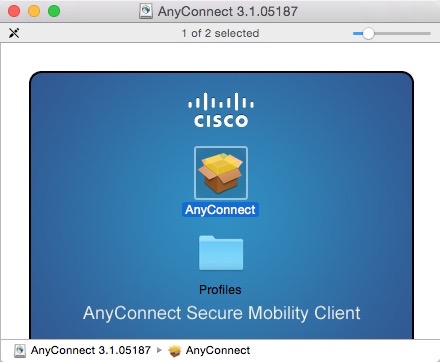
  1. If you have a direct license with Cisco, you can visit the Cisco Software Download Page and download the AnyConnect Secure Mobility Client. Navigate to the AnyConnect Secure Mobility Client v3.x download page and look for the download called Standalone DMG package for Mac OS X “Intel” platforms.
  2. For many people, you will need to go to your organization or employer software download page and download the version provided.
  3. Follow the installation instructions, and remember not to select the Web Security module (see below). This will configure the software so that Avast can be installed.

These are the installation screens. Click any image for a larger gallery view.

How to Find Your Lost iPhone, iPod, iPad, or Apple Computer

Summary

Most mobile devices these days have built-in tracking features that are very convenient for a variety of reasons. For example, health and wellness apps that monitor your activity require location tracking to be turned on. Location tracking can help find lost or stolen devices.

Because of privacy concerns, location tracking is typically an ‘opt-in’ service. Those who decide to not permit location tracking for their devices will not be able to have them easily located and recovered.

For users of Apple mobile devices, you’ll need to enable location tracking prior to attempting to find a lost device.

Instructions

These are the steps you can follow to find a device:

  1. Go to http://www.iCloud.com
  2. Login using your Apple ID.
  3. Click on the Find My Phone icon as shown below.
    20141218th-find-my-phone
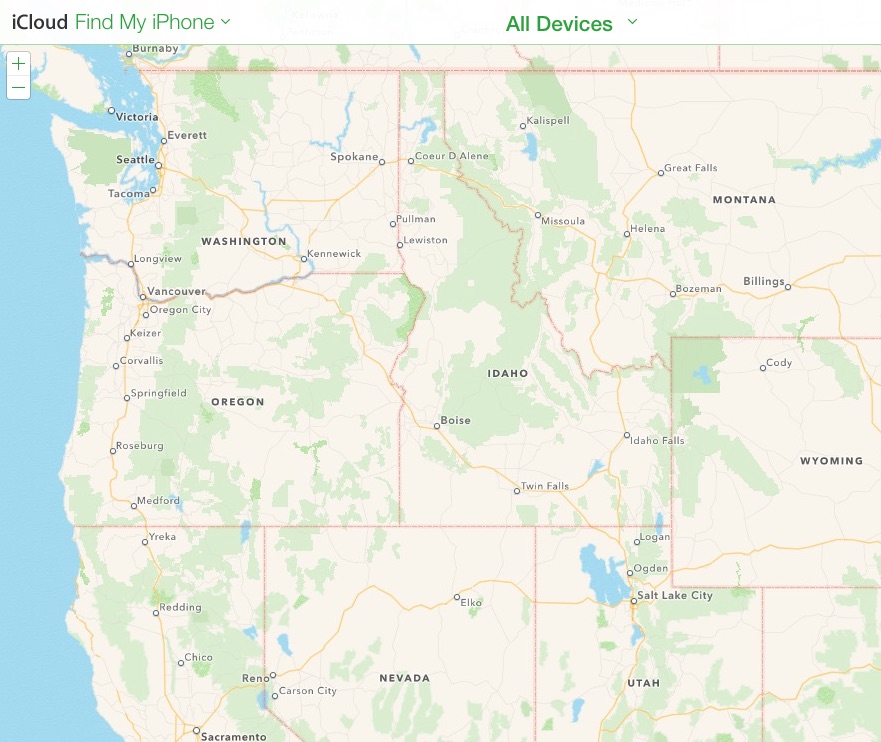
  4. The Find My Phone service will display a map with your device or devices indicated on the map with dots. in the example below there are no devices displayed, but when you use the service hopefully your device will show up. Under the All Devices drop-down menu, your available devices
    20141218th-find-my-phone-apple-iphone-ipad-ipod-macbook

Installing Ajenti Linux Server Management Software on Ubuntu

Enter this command in Terminal to install the Agenti Linux server management software:

wget -O- https://raw.github.com/Eugeny/ajenti/master/scripts/install-ubuntu.sh | sudo sh

The above command may appear to be wrapped from one line to the next, but it should be pasted in as one complete command.

More comprehensive instructions can be found on the Ajenti installation instructions page.

After installing, go to this address in your browser https://localhost:8000/ and then when warned about the connection not being private (if using Google Chrome), then click the Advanced link. Then click Proceed to local host (unsafe). The reason for the alert is that you don’t have an SSL certificate on your local computer.

Installation Process

Below is an example of what you’ll see during installation. The text in bold is what you type.

username@computername:~$ wget -O- https://raw.github.com/Eugeny/ajenti/master/scripts/install-ubuntu.sh | sudo sh
–2014-11-30 19:22:38– https://raw.github.com/Eugeny/ajenti/master/scripts/install-ubuntu.sh
Resolving raw.github.com (raw.github.com)… [sudo] password for username: 199.27.76.133
Connecting to raw.github.com (raw.github.com)|199.27.76.133|:443… connected.
HTTP request sent, awaiting response… 301 Moved Permanently
Location: https://raw.githubusercontent.com/Eugeny/ajenti/master/scripts/install-ubuntu.sh [following]
–2014-11-30 19:22:39– https://raw.githubusercontent.com/Eugeny/ajenti/master/scripts/install-ubuntu.sh
Resolving raw.githubusercontent.com (raw.githubusercontent.com)… 23.235.40.133
Connecting to raw.githubusercontent.com (raw.githubusercontent.com)|23.235.40.133|:443… connected.
HTTP request sent, awaiting response… 200 OK
Length: 472 [text/plain]
Saving to: ‘STDOUT’

100%[======================================>] 472 –.-K/s in 0s

2014-11-30 19:22:39 (78.9 MB/s) – written to stdout [472/472]

(If the installation gets stuck at this point, you may need to press Enter).

Sorry, try again.
[sudo] password for username:
:: Installing repo key
–2014-11-30 19:23:23– http://repo.ajenti.org/debian/key
Resolving repo.ajenti.org (repo.ajenti.org)… 198.232.124.224
Connecting to repo.ajenti.org (repo.ajenti.org)|198.232.124.224|:80… connected.
HTTP request sent, awaiting response… 200 OK
Length: 1716 (1.7K) [application/octet-stream]
Saving to: ‘STDOUT’

100%[======================================>] 1,716 –.-K/s in 0s

2014-11-30 19:23:23 (3.48 MB/s) – written to stdout [1716/1716]

OK
:: Adding repo entry
:: Updating lists
Get:1 http://repo.ajenti.org main InRelease [11.7 kB]
Get:2 http://repo.ajenti.org main/main amd64 Packages [6,494 B]
Get:3 http://repo.ajenti.org main/ubuntu amd64 Packages [3,534 B]
Ign http://dl.google.com stable InRelease
Ign http://security.ubuntu.com trusty-security InRelease
Get:4 http://repo.ajenti.org main/main i386 Packages [6,493 B]
Ign http://us.archive.ubuntu.com trusty InRelease
Get:5 http://repo.ajenti.org main/ubuntu i386 Packages [3,534 B]
Hit http://dl.google.com stable Release.gpg
Hit http://security.ubuntu.com trusty-security Release.gpg
Ign http://us.archive.ubuntu.com trusty-updates InRelease
Hit http://dl.google.com stable Release
Hit http://security.ubuntu.com trusty-security Release
Ign http://us.archive.ubuntu.com trusty-backports InRelease
Hit http://dl.google.com stable/main amd64 Packages
Ign http://extras.ubuntu.com trusty InRelease
Hit http://security.ubuntu.com trusty-security/main Sources
Hit http://us.archive.ubuntu.com trusty Release.gpg
Hit http://dl.google.com stable/main i386 Packages
Hit http://security.ubuntu.com trusty-security/restricted Sources
Get:6 http://us.archive.ubuntu.com trusty-updates Release.gpg [933 B]
Hit http://security.ubuntu.com trusty-security/universe Sources
Hit http://extras.ubuntu.com trusty Release.gpg
Hit http://us.archive.ubuntu.com trusty-backports Release.gpg
Hit http://security.ubuntu.com trusty-security/multiverse Sources
Hit http://us.archive.ubuntu.com trusty Release
Hit http://security.ubuntu.com trusty-security/main amd64 Packages
Hit http://extras.ubuntu.com trusty Release
Get:7 http://us.archive.ubuntu.com trusty-updates Release [62.0 kB]
Hit http://security.ubuntu.com trusty-security/restricted amd64 Packages
Hit http://security.ubuntu.com trusty-security/universe amd64 Packages
Hit http://extras.ubuntu.com trusty/main Sources
Hit http://security.ubuntu.com trusty-security/multiverse amd64 Packages
Hit http://security.ubuntu.com trusty-security/main i386 Packages
Hit http://us.archive.ubuntu.com trusty-backports Release
Ign http://dl.google.com stable/main Translation-en_US
Hit http://security.ubuntu.com trusty-security/restricted i386 Packages
Hit http://us.archive.ubuntu.com trusty/main Sources
Hit http://extras.ubuntu.com trusty/main amd64 Packages
Ign http://dl.google.com stable/main Translation-en
Hit http://security.ubuntu.com trusty-security/universe i386 Packages
Hit http://us.archive.ubuntu.com trusty/restricted Sources
Hit http://security.ubuntu.com trusty-security/multiverse i386 Packages
Hit http://us.archive.ubuntu.com trusty/universe Sources
Hit http://extras.ubuntu.com trusty/main i386 Packages
Hit http://security.ubuntu.com trusty-security/main Translation-en
Hit http://us.archive.ubuntu.com trusty/multiverse Sources
Hit http://security.ubuntu.com trusty-security/multiverse Translation-en
Hit http://us.archive.ubuntu.com trusty/main amd64 Packages
Hit http://security.ubuntu.com trusty-security/restricted Translation-en
Hit http://us.archive.ubuntu.com trusty/restricted amd64 Packages
Hit http://us.archive.ubuntu.com trusty/universe amd64 Packages
Hit http://us.archive.ubuntu.com trusty/multiverse amd64 Packages
Hit http://security.ubuntu.com trusty-security/universe Translation-en
Hit http://us.archive.ubuntu.com trusty/main i386 Packages
Hit http://us.archive.ubuntu.com trusty/restricted i386 Packages
Hit http://us.archive.ubuntu.com trusty/universe i386 Packages
Hit http://us.archive.ubuntu.com trusty/multiverse i386 Packages
Hit http://us.archive.ubuntu.com trusty/main Translation-en
Hit http://us.archive.ubuntu.com trusty/multiverse Translation-en
Hit http://us.archive.ubuntu.com trusty/restricted Translation-en
Hit http://us.archive.ubuntu.com trusty/universe Translation-en
Get:8 http://us.archive.ubuntu.com trusty-updates/main Sources [143 kB]
Ign http://extras.ubuntu.com trusty/main Translation-en_US
Get:9 http://us.archive.ubuntu.com trusty-updates/restricted Sources [1,408 B]
Get:10 http://us.archive.ubuntu.com trusty-updates/universe Sources [92.0 kB]
Ign http://extras.ubuntu.com trusty/main Translation-en
Get:11 http://us.archive.ubuntu.com trusty-updates/multiverse Sources [3,534 B]
Get:12 http://us.archive.ubuntu.com trusty-updates/main amd64 Packages [369 kB]
Get:13 http://us.archive.ubuntu.com trusty-updates/restricted amd64 Packages [5,820 B]
Get:14 http://us.archive.ubuntu.com trusty-updates/universe amd64 Packages [221 kB]
Get:15 http://us.archive.ubuntu.com trusty-updates/multiverse amd64 Packages [9,359 B]
Get:16 http://us.archive.ubuntu.com trusty-updates/main i386 Packages [361 kB]
Get:17 http://us.archive.ubuntu.com trusty-updates/restricted i386 Packages [5,820 B]
Get:18 http://us.archive.ubuntu.com trusty-updates/universe i386 Packages [221 kB]
Get:19 http://us.archive.ubuntu.com trusty-updates/multiverse i386 Packages [9,567 B]
Hit http://us.archive.ubuntu.com trusty-updates/main Translation-en
Hit http://us.archive.ubuntu.com trusty-updates/multiverse Translation-en
Hit http://us.archive.ubuntu.com trusty-updates/restricted Translation-en
Hit http://us.archive.ubuntu.com trusty-updates/universe Translation-en
Hit http://us.archive.ubuntu.com trusty-backports/main Sources
Hit http://us.archive.ubuntu.com trusty-backports/restricted Sources
Hit http://us.archive.ubuntu.com trusty-backports/universe Sources
Hit http://us.archive.ubuntu.com trusty-backports/multiverse Sources
Hit http://us.archive.ubuntu.com trusty-backports/main amd64 Packages
Hit http://us.archive.ubuntu.com trusty-backports/restricted amd64 Packages
Hit http://us.archive.ubuntu.com trusty-backports/universe amd64 Packages
Hit http://us.archive.ubuntu.com trusty-backports/multiverse amd64 Packages
Hit http://us.archive.ubuntu.com trusty-backports/main i386 Packages
Hit http://us.archive.ubuntu.com trusty-backports/restricted i386 Packages
Hit http://us.archive.ubuntu.com trusty-backports/universe i386 Packages
Hit http://us.archive.ubuntu.com trusty-backports/multiverse i386 Packages
Hit http://us.archive.ubuntu.com trusty-backports/main Translation-en
Hit http://us.archive.ubuntu.com trusty-backports/multiverse Translation-en
Hit http://us.archive.ubuntu.com trusty-backports/restricted Translation-en
Hit http://us.archive.ubuntu.com trusty-backports/universe Translation-en
Ign http://us.archive.ubuntu.com trusty/main Translation-en_US
Ign http://us.archive.ubuntu.com trusty/multiverse Translation-en_US
Ign http://us.archive.ubuntu.com trusty/restricted Translation-en_US
Ign http://us.archive.ubuntu.com trusty/universe Translation-en_US
Ign http://repo.ajenti.org main/main Translation-en_US
Ign http://repo.ajenti.org main/main Translation-en
Ign http://repo.ajenti.org main/ubuntu Translation-en_US
Ign http://repo.ajenti.org main/ubuntu Translation-en
Fetched 1,537 kB in 5s (284 kB/s)
Reading package lists… Done
:: Installing package
Reading package lists… Done
Building dependency tree
Reading state information… Done
The following packages were automatically installed and are no longer required:
libatk-bridge2.0-0:i386 libatspi2.0-0:i386 libcairo-gobject2:i386
libcolord1:i386 libdbusmenu-gtk3-4:i386 libgtk-3-0:i386 liblcms2-2:i386
libwayland-client0:i386 libwayland-cursor0:i386 libxkbcommon0:i386
linux-image-3.13.0-32-generic linux-image-extra-3.13.0-32-generic
Use ‘apt-get autoremove’ to remove them.
The following extra packages will be installed:
apt-show-versions python-catcher python-daemon python-exconsole
python-gevent python-gevent-socketio python-gevent-websocket python-greenlet
python-ldap python-mako python-markupsafe python-passlib python-psutil
python-reconfigure python-requests python-support python-urllib3
Suggested packages:
python-gevent-doc python-gevent-dbg python-greenlet-doc python-greenlet-dev
python-greenlet-dbg python-ldap-doc python-pyasn1 python-beaker
python-mako-doc
The following NEW packages will be installed:
ajenti apt-show-versions python-catcher python-daemon python-exconsole
python-gevent python-gevent-socketio python-gevent-websocket python-greenlet
python-ldap python-mako python-markupsafe python-passlib python-psutil
python-reconfigure python-requests python-support python-urllib3
0 upgraded, 18 newly installed, 0 to remove and 3 not upgraded.
Need to get 1,873 kB of archives.
After this operation, 8,717 kB of additional disk space will be used.
Get:1 http://repo.ajenti.org/debian/ main/main python-gevent-socketio all 0.3.6-1 [27.4 kB]
Get:2 http://repo.ajenti.org/debian/ main/main python-reconfigure all 0.1.64 [29.8 kB]
Get:3 http://us.archive.ubuntu.com/ubuntu/ trusty/universe python-support all 1.0.15 [26.7 kB]
Get:4 http://repo.ajenti.org/debian/ main/ubuntu python-passlib all 1.5.3-2 [156 kB]
Get:5 http://repo.ajenti.org/debian/ main/main python-catcher all 0.1.7 [5,338 B]
Get:6 http://repo.ajenti.org/debian/ main/main python-exconsole all 0.1.5 [3,638 B]
Get:7 http://us.archive.ubuntu.com/ubuntu/ trusty/main python-greenlet amd64 0.4.2-1build1 [16.7 kB]
Get:8 http://repo.ajenti.org/debian/ main/main ajenti all 1.2.22.16 [1,056 kB]
Get:9 http://us.archive.ubuntu.com/ubuntu/ trusty/main python-gevent amd64 1.0-1ubuntu1 [215 kB]
Get:10 http://us.archive.ubuntu.com/ubuntu/ trusty/universe python-gevent-websocket all 0.9.3-1 [15.3 kB]
Get:11 http://us.archive.ubuntu.com/ubuntu/ trusty/main python-psutil amd64 1.2.1-1ubuntu2 [50.2 kB]
Get:12 http://us.archive.ubuntu.com/ubuntu/ trusty/universe python-daemon all 1.5.5-1ubuntu1 [17.5 kB]
Get:13 http://us.archive.ubuntu.com/ubuntu/ trusty/main python-urllib3 all 1.7.1-1build1 [38.9 kB]
Get:14 http://us.archive.ubuntu.com/ubuntu/ trusty-updates/main python-requests all 2.2.1-1ubuntu0.1 [42.9 kB]
Get:15 http://us.archive.ubuntu.com/ubuntu/ trusty/universe apt-show-versions all 0.22.3 [33.9 kB]
Get:16 http://us.archive.ubuntu.com/ubuntu/ trusty/main python-markupsafe amd64 0.18-1build2 [14.3 kB]
Get:17 http://us.archive.ubuntu.com/ubuntu/ trusty/main python-mako all 0.9.1-1 [59.6 kB]
Get:18 http://us.archive.ubuntu.com/ubuntu/ trusty/main python-ldap amd64 2.4.10-1build1 [63.9 kB]
Fetched 1,873 kB in 0s (2,320 kB/s)
Selecting previously unselected package python-support.
(Reading database … 226577 files and directories currently installed.)
Preparing to unpack …/python-support_1.0.15_all.deb …
Unpacking python-support (1.0.15) …
Selecting previously unselected package python-greenlet.
Preparing to unpack …/python-greenlet_0.4.2-1build1_amd64.deb …
Unpacking python-greenlet (0.4.2-1build1) …
Selecting previously unselected package python-gevent.
Preparing to unpack …/python-gevent_1.0-1ubuntu1_amd64.deb …
Unpacking python-gevent (1.0-1ubuntu1) …
Selecting previously unselected package python-gevent-websocket.
Preparing to unpack …/python-gevent-websocket_0.9.3-1_all.deb …
Unpacking python-gevent-websocket (0.9.3-1) …
Selecting previously unselected package python-gevent-socketio.
Preparing to unpack …/python-gevent-socketio_0.3.6-1_all.deb …
Unpacking python-gevent-socketio (0.3.6-1) …
Selecting previously unselected package python-psutil.
Preparing to unpack …/python-psutil_1.2.1-1ubuntu2_amd64.deb …
Unpacking python-psutil (1.2.1-1ubuntu2) …
Selecting previously unselected package python-reconfigure.
Preparing to unpack …/python-reconfigure_0.1.64_all.deb …
Unpacking python-reconfigure (0.1.64) …
Selecting previously unselected package python-daemon.
Preparing to unpack …/python-daemon_1.5.5-1ubuntu1_all.deb …
Unpacking python-daemon (1.5.5-1ubuntu1) …
Selecting previously unselected package python-passlib.
Preparing to unpack …/python-passlib_1.5.3-2_all.deb …
Unpacking python-passlib (1.5.3-2) …
Selecting previously unselected package python-urllib3.
Preparing to unpack …/python-urllib3_1.7.1-1build1_all.deb …
Unpacking python-urllib3 (1.7.1-1build1) …
Selecting previously unselected package python-requests.
Preparing to unpack …/python-requests_2.2.1-1ubuntu0.1_all.deb …
Unpacking python-requests (2.2.1-1ubuntu0.1) …
Selecting previously unselected package apt-show-versions.
Preparing to unpack …/apt-show-versions_0.22.3_all.deb …
Unpacking apt-show-versions (0.22.3) …
Selecting previously unselected package python-markupsafe.
Preparing to unpack …/python-markupsafe_0.18-1build2_amd64.deb …
Unpacking python-markupsafe (0.18-1build2) …
Selecting previously unselected package python-mako.
Preparing to unpack …/python-mako_0.9.1-1_all.deb …
Unpacking python-mako (0.9.1-1) …
Selecting previously unselected package python-catcher.
Preparing to unpack …/python-catcher_0.1.7_all.deb …
Unpacking python-catcher (0.1.7) …
Selecting previously unselected package python-exconsole.
Preparing to unpack …/python-exconsole_0.1.5_all.deb …
Unpacking python-exconsole (0.1.5) …
Selecting previously unselected package python-ldap.
Preparing to unpack …/python-ldap_2.4.10-1build1_amd64.deb …
Unpacking python-ldap (2.4.10-1build1) …
Selecting previously unselected package ajenti.
Preparing to unpack …/ajenti_1.2.22.16_all.deb …
Unpacking ajenti (1.2.22.16) …
Processing triggers for man-db (2.6.7.1-1ubuntu1) …
Processing triggers for ureadahead (0.100.0-16) …
ureadahead will be reprofiled on next reboot
Setting up python-support (1.0.15) …
Setting up python-greenlet (0.4.2-1build1) …
Setting up python-gevent (1.0-1ubuntu1) …
Setting up python-gevent-websocket (0.9.3-1) …
Setting up python-gevent-socketio (0.3.6-1) …
Setting up python-psutil (1.2.1-1ubuntu2) …
Setting up python-reconfigure (0.1.64) …
Setting up python-daemon (1.5.5-1ubuntu1) …
Setting up python-passlib (1.5.3-2) …
Setting up python-urllib3 (1.7.1-1build1) …
Setting up python-requests (2.2.1-1ubuntu0.1) …
Setting up apt-show-versions (0.22.3) …
** initializing cache. This may take a while **
Setting up python-markupsafe (0.18-1build2) …
Setting up python-mako (0.9.1-1) …
Setting up python-catcher (0.1.7) …
Setting up python-exconsole (0.1.5) …
Setting up python-ldap (2.4.10-1build1) …
Setting up ajenti (1.2.22.16) …

:: Generating key

Generating RSA private key, 2048 bit long modulus
……………………………………..+++
………………………………………………..+++
e is 65537 (0x10001)

:: Generating certificate request
:: Removing passphrase

writing RSA key

:: Generating certificate

Signature ok
subject=/C=US/ST=NA/L=Nowhere/O=Acme Inc/OU=IT/CN=GregLinux
Getting Private key
:: SSL configured!
————————————————
Now start Ajenti with ‘service ajenti restart’
Ajenti will listen on HTTPS port 8000 by default

Default username : root
Default password : admin
————————————————
Processing triggers for python-support (1.0.15) …
Processing triggers for ureadahead (0.100.0-16) …
:: Done! Open https://<address&gt;:8000 in browser
username@computername:~$

Q&A with InvestInTech.com Makers of Able2Extract PDF Converter

Getting to Know Investintech.com: Helpful PDF Resources, Tutorials and Tools

Q: You’ve developed some great online technology tutorials. What topics are available and which ones seem to be the most popular?

MS Office for iPad Tips is one of our newer projects that we started working on as soon as Microsoft launched the apps for iPad. We knew that there’d be a huge interest in the apps, but as is the case with many great projects and tools out there, people don’t have much time to learn how to use them. We realized it would be extremely helpful to develop easy-to-read, straightforward tutorials with screenshots and images that clearly show what a Microsoft user needs to do in order to start using MS Office on their iPad.

With this goal in mind, we created a handful of quick guides to using Word, Excel and PowerPoint on iPad. We even included some general tips and advice on how to make the most of MS Office apps for iPad with a free Microsoft account. Basically, you can find out everything important about Microsoft for iPad in these tutorials, from learning how to print in Office for iPad and how to access MS documents saved on our PC from the iPad, to discovering how to make charts in Word and PowerPoint and how to freeze columns and rows in MS Excel.

We took the time to find out what it is about MS Office for iPad that creates the most headache to users, and we tried to answer their most common questions in these articles. We’ll constantly be updating the user guide with new tips.

Q: The Adobe PDF format has increasingly become a standard for stand-alone documents as well as content delivered through the Internet (as an alternative to HTML pages) when formatting/layout standardization across multiple platforms is desired. However, Adobe Acrobat Pro is very expensive, and not very user friendly. What does your PDF product offer? What is the cost compared to Adobe Acrobat Pro? Are there features your product has that Adobe Acrobat Pro doesn’t have?

One of the advantages of Investintech’s PDF solutions over Adobe’s is that they are very affordable. Also, at almost the fourth of Adobe Acrobat Pro’s price, users can enjoy high quality conversions that Investintech’s flagship PDF software, Able2Extract, provides.

Adobe Acrobat Pro costs $499 and Able2Extract Professional can be purchased for $139. Both the standard and professional version of Able2Extract can be used on all three major platforms, Windows, Mac and Linux, while Adobe Acrobat Pro is not available to Linux users.

It is not only the matter of price that makes Investintech’s product more appealing. Able2Extract’s conversion features are quite impressive. While Adobe Acrobat Pro can only convert to Excel, Word and PowerPoint, Able2Extract includes the following high-quality conversion options: PDF to Excel, Word, PowerPoint, Publisher, HTML, AutoCAD, OpenOffice, Images and it can also convert Text files to Excel, Word and PDF. Able2Extract PDF Converter’s major strength is its custom PDF to Excel option that allows users to manually tweak their output prior to conversion, and everyone who’s dealt with MS Excel recognizes this feature as a serious advantage.

Finally, Able2Extract’s intuitive, user-friendly GUI is high on the list of features that users like about our product. It makes the tool really easy to use, allowing users of any computer skill level to make quick conversions to different file formats.

Clearly, the range of options that Able2Extract offers, in combination with the tool’s price, is a much more attractive package to business professionals looking for powerful PDF conversion solutions.

Q: What makes your company unique?

Investintech.com is the most widely known for top quality PDF conversions for Excel users. Though its flagship product, Able2Extract, is created to cater to the needs of many different types of business professionals, from designers and architects who use AutoCAD to MS Office and OpenOffice users, we focused the most on Excel.

Our PDF solutions are widely used by accountants, auditors, finance analysts, bankers, and other finance and data scientists who use MS Excel spreadsheets for data processing and analysis. Since in the past many people complained about PDF to Excel conversion tools on the market at the time, especially the fact that the formatting and layout of Excel files are often lost after the conversion, Investintech developers put much of their efforts into creating an advanced, custom PDF to Excel creation feature that Able2Extract is now praised for. This feature allows users to tweak their Excel columns and rows structure prior to conversion, so that the formatting is exactly as it should be after the conversion.

Another feature of Able2Extract that brought Investintech a lot of recognition is the tool’s cross-platform operability, which enables users of the three major platforms (Windows, Mac, Linux) to use the software. It’s worth noting that Able2Extract was the first PDF converter on the market that introduced the cross-platform feature.

Q: What else does your company offer to its users?

Though Able2Extract is developed for and mostly used by business and individual professionals, we recognize the fact that not everyone around the globe can afford robust PDF software with a wide range of PDF conversion options. That is why we are working on developing some simple, quick and free online PDF conversion tools that people can find helpful.

We’ve already developed mobile apps for iOS and Android devices that help users smoothly convert and create PDFs for free. We also offer a range of other free tools for converting .docx to .doc, PDF to HTML and some inspirational templates for creating PowerPoint presentations and website designs.

We believe that the Internet’s potential for free and easy transfer of knowledge and information should really be used to the fullest. That is why we put a lot of energy into informing and teaching our readers about topics of interest to them, via our website, the company blog and our social media channels. Here they can find many articles, entertaining tips, helpful tutorials, must-have software lists, and some funny tech updates as well. Our wish is to spread the word about the usefulness of our PDF solutions, but also to help people manage their documents and files in the most productive and efficient way.

__________

A Note from Greg Johnson

I had an opportunity recently to connect with the friendly people at InvestInTech.com — the developers of the Able2Extract PDF converter software.

Being a writer of support documentation, I was really impressed with the free online support documentation they developed for the iPad version of Microsoft Office.

After learning a little more about their company, and the PDF product they offer, I thought it would be nice to offer the above Q&A to introduce them to my website visitors and subscribers. I wrote up the questions and they graciously provided the answers.

Evernote 6.0.1 Features

There have been some important updates in the 6.0.1 version of Evernote, including (for Apple users) a new design inspired by OS X Yosemite and the ability to share notes and chat with others about collaborative projects.

Below are all the updates for 6.0.1 as well as previous versions. If it’s been a while since you updated, and perhaps you didn’t take time to read these update notes along the way, it’s nice to refer back to them and discover new features you might have overlooked.

__________

Version 6.0.2

The following enhancements were made since the release of 6.0.1. These are in the 6.0.2 version.

  • Improved design on Mavericks and older versions of Mac OS.
  • Improved legibility in card and snippet view.
  • Fixed searching within PDFs.
  • Resolved various crashing issues.
  • Improved Work Chat contact search and display in drop down.

Version 6.0.1

New features:

  • Sleek new design inspired by OS X Yosemite
  • Work Chat: a new way to share and collaborate in Evernote
    • Share notes and notebooks in-app
    • Give view or edit permission when you share a single note
    • Chat with individuals or groups about things you’re working on
    • See when others are viewing or editing notes in your account and start chats with them
    • Filter chats to find the information you need

Bug and stability fixes:

  • Improve handling of long URLs
  • Enable Rename PDF menu item
  • Fixed a crash on launch issue

Version 5.7.2 – Various bug and stability fixes

Version 5.7.1 – Various bug and stability fixes

Version 5.7.0

Premium feature: Context

  • Context displays notes, articles, and people related to what you’re working on
  • View related articles from The Wall Street Journal and other sources and related people from LinkedIn and your business

Presentation Mode has been improved with a fresh look and new features

  • Use the layout panel to navigate your presentation and add dividers
  • Images are now presented from screen-edge to screen-edge
  • Beautifully styled tables make your information stand out

Other improvements:

  • Send messages to share notes and discuss things you’re working on without leaving Evernote
  • Bug and stability fixes

Version 5.6.2

At Evernote, we believe that speed and stability are essential for productivity. That’s why we’ve completely rewritten Evernote for Mac. It may look familiar but it’s significantly faster, more reliable and consumes less energy than ever before. We’ve also snuck in some new features!

Speed:

  • Sync is more than 3x faster. Users with lots of shared notebooks and Evernote Business users will see the biggest improvements.
  • New notes sync instantly so they’re immediately accessible on your other devices.
  • Share notes without waiting for a sync to complete.
  • Launch and quit times have been reduced dramatically.
  • New keyboard shortcuts have been added to jump to the note list for easy navigation (CMD + |) and you can now tab between the search field, the note list, current note title and note body.
  • Energy consumption when the app is idle has been significantly reduced.

New features:

  • Tables can now be resized, and have configurable background colors and border styles.
  • Images can be resized right in the note editor. Just click an image and drag the handle in the bottom right corner.
  • Search results are now ordered by relevance.
  • Faster notebook selector at the top of the note list remembers your recently used notebooks.
  • Redesigned checkboxes in the note editor are easier to click.
  • Evernote will now stay logged in by default.
  • Search your notes with Spotlight.

Stability:

  • We’ve closed over 500 bugs including more than 150 types of crashes.
  • Our crash reporting system has been completely rebuilt.
  • Removed repeated offline alerts
  • In list view, the relevance column can now be hidden from search results
  • Resolved an issue that caused note conflicts when sharing new notes
  • Squashed bugs related to migration from the Mac App Store version

Version 5.5.2 (07/02/2014) build 402634

  • Various bug and stability fixes

Version 5.5.1 (03/25/2014) build 402628

  • Various bug and stability fixes:
    • Improvements to Descriptive Search
    • Note you are working on stays in focus during sync
    • Improved searching through large documents

Version 5.5 (02/04/2014) build 402491

Version 5.5 (02/04/2014) build 402489

  • New Feature: Descriptive Search
    • Find what you want in the most natural way ever. Search your notes by place (“Tokyo”), file contents (“Documents” or “Images”), date ranges and more.
    • Searches to try:
      • “notes with PDFs”
      • “notes from Paris”
      • “recipes created last week”
    • This feature is currently available in English only.
  • Various bug and stability fixes:
    • Fixed: Screenshots including Quick Note Helper window
    • Fixed: Evernote window issues
    • Business card scanning improvements
    • Fixed: sync issues which may have caused crashing

Version 5.4.5 (01/04/2014) build 402372

  • Bug fixes

Version 5.4.5 (01/04/2014) build 402367

  • Bug fixes

Version 5.4.4 (12/04/2013) build 402282

Stability improvements and bug fixes

Bug fixes:

  • Fixed: Content scrolls when dragging window
  • Fixed: Issues attaching documents in OS X 10.6
  • Fixed: Large notes showing blank spots

Known issue: Spotlight does not index notes created on OS X 10.9. We are working on a fix.

Version 5.4.3 (11/15/2013) build 402231

Improved support for OS X 10.9

New Markup Features

  • Rotate or delete pages from a PDF
  • Add a markup summary page to annotated PDFs
  • Easily clear all markup
  • Flip or rotate images

Other Fixes

  • Improved support for dragging images from web browsers
  • Various bug and crash fixes

Known issue: Spotlight does not index notes created on OS X 10.9. We are working on a fix.

Version 5.4.1 (10/09/2013) build 402013

Bug fixes Version 5.4.0 (10/03/2013) build 401989

Introducing Evernote Business 2.0

  • Business Home makes your company smarter than ever
    • Get to know your members of your business and learn about their recent activity by browsing their profiles
    • Discover notebooks and notes published by your coworkers, find popular notebooks and top contributors
    • Search and browse notes in every Business Notebook you have access to and preview notes before you join notebooks
  • Expertise Discovery: searching your notes also displays related people and provides access to shared notes in your business
  • Convert personal notebooks to business notebooks

Other New Features

  • Mark up images, PDFs and whole notes from within Evernote

Bug fixes Version 5.3.0 (09/18/2013) build 401872

New Premium Feature: Presentation Mode

  • Present your notes in a beautifully laid out, full-screen view with one click
  • Dual screen support: Present on one screen while taking notes on the other
  • Display images, documents and attachments in the presentation
  • Use the laser pointer feature to help everyone follow along

Improved Premium Feature: Related Notes

  • See up to five Related Notes at the bottom of the Note Editor

New Evernote Business Feature

  • Easily convert personal notebooks into Business notebooks

Other enhancements

  • Redesigned search highlighting
  • Evernote Food notes are now editable
  • Right-click on a note to convert it to a PDF

Version 5.1.1 (05/21/2013) build 401255

  • New Features
    • Reminders: Never forget important and in-progress notes
      • Adding a reminder pins the note to the top of your note list
      • Add a due date to receive in-app and email notifications
      • Mark notes as Done when you complete them
      • See reminders and get notifications for notes in shared notebooks
    • Enhanced security with XAuth
      • View all applications that access your account from Evernote Web Settings
    • Redesigned vertical list view shows more notes on-screen
    • New text styles: Superscript (CMD Ctrl +) and Subscript (CMD Ctrl -)
    • Edit your Saved Searches
  • Other improvements
    • Copy/paste improvements
    • Numerous stability improvements
    • Various search improvements

Version 5.0.7 (03/12/2013) build 400995

  • This update addresses a security issue that requires you to reset your password. Details on blog.evernote.com
  • Re-designed menu bar Helper called Quick Note: Create a note any time by clicking the helper or CMD+CTRL+N
  • Various bug and localization fixes

Version 5.0.5 (01/24/2013) build 400808

  • New Features
    • Shortcuts are synced with your Evernote account
    • Searches can be scoped to “My Notes” which excludes shared Notes
    • Business users can scope searches to “Personal Notes” or “Business Notes”
    • Notes clipped using Evernote Clearly are beautifully styled
    • AppleScript can create checkboxes in ENML
    • In Expanded Card View, pressing Return opens Notes
    • New button to jump to a Note’s Notebook from the Note Editor
    • Command-click to multi-select Tags in the Sidebar
  • Other improvements
    • Large accounts sync much more reliably
    • Tags from Joined Notebooks now appear correctly
    • Corrected image and link pasting issues
    • PDF printing is more reliable
    • Fixed Snow Leopard Sidebar visual glitches
    • Fixed crash when taking screenshots
    • Korean image indexing is greatly improved
    • Reduced CPU/memory usage
    • Fixes to Saved Searches
    • Various fixes for Evernote Business
    • Improved handling of Tags in AppleScript

Version 5.0.4 (12/12/2012) build 400704

Stability enhancements

Version 5.0.3 (12/06/2012) build 400675

  • Bug Fixes

Version 5.0.2 (12/03/2012) build 400649

New Features

  • New Premium feature: Related Notes in the note editor
  • Drag-and-drop Notes onto Notebooks and Tags in the Sidebar
  • Added an option to show Note counts in the Sidebar
  • Added a Trash button to the Note Editor

Other Improvements

  • Nested tags stay visible
  • Fixed Atlas for Portuguese users
  • Fixed Local Notebook creation
  • Fixed “notebook:” and “tag:” searching
  • Better high-DPI image handling in the Note Editor
  • Reduced CPU/memory usage
  • Various bug and localization fixes

Version 5.0.1 (11/27/2012) build 400591

New Features

  • Drag-and-drop Notes onto Notebooks and Tags in the Sidebar
  • Added an option to show Note counts in the Sidebar
  • Added a Trash button to the Note Editor

Other Improvements

  • Fixed Local Notebook creation
  • Fixed “notebook:” and “tag:” searching
  • Better high-DPI image handling in the Note Editor
  • Reduced CPU/memory usage
  • Various bug and localization fixes

Version 5.0.0 (11/15/2012) build 400539

Evernote 5 has been redesigned with over 100 new features including:

Left Sidebar

  • Shortcuts: Drag notebooks, notes, and tags to the left pane for quick access
  • Recent notes: Lets you quickly get back to notes from anywhere in Evernote
  • Notebooks and Tags view: Organize your Evernote more efficiently

Browsing and Creating Notes

  • Atlas: Browse your notes visually by geographic location
  • Card and Snippet views: A better way to browse notes
  • Scalable note editor: A more elegant way to create notes, both big and small
  • Full-screen single note view: Excellent for composing notes without distractions
  • Change a note’s location: Type a place manually or click the compass arrow in note info
  • Lots of keyboard shortcuts: Learn more on our What’s New page
  • Shared banner: Indicates how many people have access to content in shared notebooks
  • Better simple and plain text handling: Simplify notes to remove complex formatting or convert them to plain text
  • Indent text: Evernote for Mac now supports text indentation
  • Notes created on the Mac are now tagged with location information for Atlas

Smarter Search

  • Type ahead search: Completes your thoughts with suggestions from your account
  • Search Personal and Joined notebooks: Search your entire account from one place
  • Search options: Powerful new feature that lets you easily filter your search

Collaboration

  • Better sharing: Notebooks and shared notebooks are all in one place
  • Mountain Lion notifications: See Evernote activity in Notification Center
  • Joined notebooks can be added to stacks

Other Improvements

  • Lots of stability improvements
  • Sync improvements: Faster, more reliable sync
  • Explore Evernote: First launch experience that helps you get the most out of Evernote

Turbo.264 HD Version 1.2.3

If you’re using Turbo.264 HD version 1.2.2 you’ll want to update to the 1.2.3 version.

What’s new in this release?

  • resolved an issue where the Turbo component was not installed
  • resolved an issue with EyeTV integration that resulted in the Turbo hardware not being used for exports
  • improved file support
  • improved YouTube support
  • improved audio sync on export
  • improved performance and stability
  • improved support for OS X 10.10 (Yosemite)

Installation

After updating to the new version of Turbo.264 HD, please quit and reopen all programs that may have been using Turbo.264 HD, such as EyeTV.

System Requirements

  • a Macintosh computer with an Intel Core processor
  • 512 MB of RAM
  • a built-in USB 2.0 port
  • Mac OS X 10.6.8 or later, Mac OS 10.10 recommended (with all software and security updates installed)
  • QuickTime 7.6 (or later)